Skip to content
View in the app

A better way to browse. Learn more.

BariatricPal

A full-screen app on your home screen with push notifications, badges and more.

To install this app on iOS and iPadOS
  1. Tap the Share icon in Safari
  2. Scroll the menu and tap Add to Home Screen.
  3. Tap Add in the top-right corner.
To install this app on Android
  1. Tap the 3-dot menu (⋮) in the top-right corner of the browser.
  2. Tap Add to Home screen or Install app.
  3. Confirm by tapping Install.
  • Appearance

Join BariatricPal free

  • Ask your own questions
  • Reply and follow topics
  • Message other members
  • No cost, no spam

2 things...

Hi there. I am not able to add my surgeon on my profile. The option to do it gives me a box. I type his name in and save, but it doesn't work. Any suggestions?

Also, I have two "likes" on my profile. It is shown on a green bar on the top right side of the profile. What is this, and how to I see who has "liked" me?

Thanks,

Shannon

  • Replies 5
  • Views 960
  • Created
  • Last Reply

Top Posters In This Topic

Posted Images

Featured Replies

Hi Shannon,

What's your surgeons full name please ?

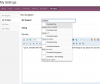
As you type, you should see names starting to appear. It works via auto complete. See the following example:

Are you on a desktop computer ?

The likes you see are when people like your post (like I just did to yours above.)

Screen Shot 2012-12-30 at 6.08.27 PM.png

Does it make a difference if the surgeon's information is not up to date, or will the name appear anyway?

Yes, that worked. This time I started with his first name and not "Dr." lol

Thank you, as I had the same question, too.

  • Author

Thanks Alex. I wasn't giving it enough time to auto fill because I didn't realize it would do that. Thanks very much!

Join the conversation

You can post as a guest; create a free account to track replies, follow topics, and be part of the largest weight loss surgery community.

Join the conversation

You can post now and register later. If you have an account, sign in now to post with your account.

Guest
Reply to this topic...

Account

Navigation

Search

Search

Configure browser push notifications

Chrome (Android)
  1. Tap the lock icon next to the address bar.
  2. Tap Permissions → Notifications.
  3. Adjust your preference.
Chrome (Desktop)
  1. Click the padlock icon in the address bar.
  2. Select Site settings.
  3. Find Notifications and adjust your preference.