Skip to content
View in the app

A better way to browse. Learn more.

BariatricPal

A full-screen app on your home screen with push notifications, badges and more.

To install this app on iOS and iPadOS
  1. Tap the Share icon in Safari
  2. Scroll the menu and tap Add to Home Screen.
  3. Tap Add in the top-right corner.
To install this app on Android
  1. Tap the 3-dot menu (⋮) in the top-right corner of the browser.
  2. Tap Add to Home screen or Install app.
  3. Confirm by tapping Install.

Goal count down 5.....

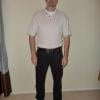
Well, I am 175 today, 5lbs from goal. Down 98 lbs from surgery, and 137 from my heaviest. 5lbs, wow. It's so hard to believe!!!! I need to post some current pics. I'll try to do that with the count down. So close. This past week I have had 4 people email me and ask how I did it. So as in each case I am sitting down and sharing in depth hoping it will help their journey.

GodSpeed

  • Replies 4
  • Views 1.3k
  • Created
  • Last Reply

Top Posters In This Topic

Featured Replies

Way to go Noel, it is amazing that we started this journey just a few months ago. I cannot imagine only being 5 lbs from goal, it would make me want to run 10 miles a day to drop that 5 lbs. Keep us posted on that last leg of your goal. Way to go buddy.

dreams coming true is the best gift in life!! Way to goooo:) CONGRATSSSS I wish I can be in ur place someday :)

  • Author

Kemo, I ran 5 miles yestarday. Lol. That's my longest distance so far. I have been in a crazy slow stall for a month and increased my runs to 3 and 5 miles and have started losing again. But these 5 lbs have been in the last 5 days. So I'm gonna run like crazy this week an hopefully see the last bit drop off. How are u doing?

U can also try sprints!! they work miracles for me:) I run 5K everyday but when a stall hits me I go for sprints ! best of luck kicking those 5LBS out of ur life:)

Join the conversation

You can post now and register later. If you have an account, sign in now to post with your account.

Guest
Reply to this topic...

Trending Products

PatchAid Vitamin Patches

Account

Navigation

Search

Search

Configure browser push notifications

Chrome (Android)
  1. Tap the lock icon next to the address bar.
  2. Tap Permissions → Notifications.
  3. Adjust your preference.
Chrome (Desktop)
  1. Click the padlock icon in the address bar.
  2. Select Site settings.
  3. Find Notifications and adjust your preference.