pleasure
LAP-BAND Patients
-
Joined
-
Last visited
-
pleasure changed their profile photo
-
Thank you I will try that.
-
Thank you for the encouragement.
-
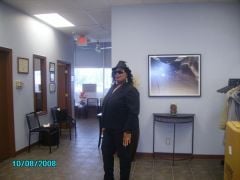
These are pictures of me over the last 2 years.
-
It has almost been a week since I had my surgery. There was quite a bit pain in the port area, more than I expected. I am still in a little pain but I was able to get a more today than any of the other days. I stood on the scale and I was 253 lbs. That is quite a bit from the 285 I started with in May of this year. I am happy I had the surgery though. I just want to feel 100% better and get back to my normal routine. I think I had a little more pain than usual because my doctor found a hernia when he was putting in the lapband. I am in good spirits now that it is done. The rest is now left up to me. It is so funny how 1 medicine cup of fluid fills me up. Everyone thinks I am starving but I am actually not. I am just as full as they are when the eat. I just eat much less. I can't wait to be in pureed foods. These liquids are boring me.:thumbup:
-
I just got my lap band on Tuesday 10/19/10. My area where my port is hurts so bad and I feel every little movement hurts it even more. They found a hernia while putting in the lap band that they corrected. I was really sore the 1st few days but I did what the doctor wanted me to do. When I went home I was more sore then when I was in the hospital. The pain is still there but it is easing up. Can anyone give me some advice. :blushing: