





taxcafe
LAP-BAND Patients
-
Joined
-
Last visited
Everything posted by taxcafe
-
Before Pics, a weight loss surgery photo album by taxcafe on BariatricPal. 4 photos in Member Photo Gallery.
-
 Girls weekend in NYC - I had such a great time.
-
 Back in SF - can't seem to DO my hair hahahaha...it's so much easier not to.
-
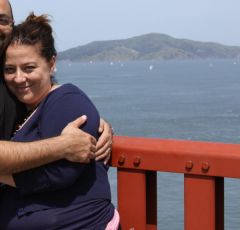 Golden Gate Bridge with my hubby. Heaviest weight I've been. Hoping to get accepted for WLS - scared and hopeful about the journey.
-
 At my fattest - I have my LAP-BAND?? consultation next week. I hope I'm accepted!
-
-
Thank you both. It seems if I do get the green light to go ahead, the dr I chose requires that I lose 20 pounds. The only trouble is that I will be below 35 BMI if I do. I guess I have to just see what happens.
-
I'm applying to get the lap band, and the information packet I received mentions having to lose 10% of my current weight in order to qualify for the surgery. Has anyone else had to do that? If so, were you successful? I'm really scared and intimidated about having to lose weight before being accepted (after all, I'm applying for the surgery because of my inability to lose and maintain weight!). I'd love to hear other stories. Thanks.:smile2: