



Skip to content
View in the app

A better way to browse. Learn more.

BariatricPal

A full-screen app on your home screen with push notifications, badges and more.

To install this app on iOS and iPadOS
  1. Tap the Share icon in Safari
  2. Scroll the menu and tap Add to Home Screen.
  3. Tap Add in the top-right corner.
To install this app on Android
  1. Tap the 3-dot menu (⋮) in the top-right corner of the browser.
  2. Tap Add to Home screen or Install app.
  3. Confirm by tapping Install.

dwilkienson

LAP-BAND Patients
  • Joined

  • Last visited

Everything posted by dwilkienson

  1. i meet the bmi and the 200% requirements, and i have other medical issues that also is in the requirements. does anyone know how long does it take from the point you get approved to when you get the surgery?
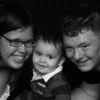
  2. hi everyone. my name is Delores, my husband Brandon and i live in washington with our beautiful son Jet. Brandon is in the navy. i have been over weight all my life. and it's time for a change. my motivation is my 9 month old. i want to live long enough to see him grow and see him have his own family. i want to be able to keep up with him when we go out and play. i want to be able to do everything my husband can with him. i hope and pray that i will get approved to get the surgery. :mad:

Trending Products

PatchAid Vitamin Patches

Account

Navigation

Search

Search

Configure browser push notifications

Chrome (Android)
  1. Tap the lock icon next to the address bar.
  2. Tap Permissions → Notifications.
  3. Adjust your preference.
Chrome (Desktop)
  1. Click the padlock icon in the address bar.
  2. Select Site settings.
  3. Find Notifications and adjust your preference.