





Lizandrk
LAP-BAND Patients
-
Joined
-
Last visited
-
The ONLY reason I haven't gone to the doctor over this is b/c of lack of insurance! I didn't start having the boils on a semi-regular basis until about 9-12 mths post op from my surgery. Which also happen to be when I began to not only work out, but work out on almost a daily basis. So I assumed this and extra skin was the cause. I do not fear doctors and nothing embarasses me. My problem was MONEY! I'm a single Mom and when I lost my job in 2010, I lost my health insurance too! All I could find were temp jobs w/o benefits until a few months ago. I've worked constantly trying to find that GREAT job that gives me health benefits and it's finally here! Tomorrow, OFFICIALLY, my boys and I have insurance again! And I cannot even begin to explain how wonderful that feels!!! So I'm making calls today, my 1st one will be to a dermatologist! also b/c I'm 26 and I've never had the full body once over for skin cancer and moles before, so I'll do it all at the same time!!! And yes, I'll have them do a swap or test or labs or whatever they need to do to confirm if it's hormonal, habitual, too much yeast, gluten, staph, whatever! I'll make sure they get to the root of it (hehe, pardon the pun) b/c I'm a "pro-active patient". Also, I'll be scheduling a fill soon, but priority #1 with my darling band, is the yearly x-ray and ultrasound test things they're supposed to do that I'm over-do for! =D I really do appreciate everyone's advice and opinions and experiences! It's been helpful giving me ideas and options to try UNTIL I had health insurance!!! Thanks again!
-
This was very thorough and helpful, thank you very much! Yes, I've mostly been doing the whole extra clean routine like you said the last few months. I do still wear spanx, but I use the anti biotic soap (hadn't ever thought of anti microbial) and I do the same things you said when one is going to pop. Yeah, I've asked all these questions because I was curious if "SOME PEOPLE" are just prone to them OR if it's a lifestyle or habitual thing I'm doing to CAUSE it. B/c if I can get to the cause, I can stop/prevent, ya know! So yeah. I will def be seeing a dermatology in the next few weeks just in case!
-
Thanks for replying! No, my BCBS was through a different employer. My UHC goes into affect 10/6/11, yayyyyy! I have 2 boys already and I'm about 80% certain I won't have anymore kids. And if I did have the thigh lift and had another pregnancy, it wouldn't be more than 1 more kid, AND I have much better control (mentally and psychologically) over my weight now so I'm optimistic I wouldn't gain a lot. Plus if I did choose to have another child, I would wait until after I got to my goal weight anyway. I just feel like I NEED this thigh lift. I talk to other women in my life and it seems like the issues I have with them are abnormal...and it's such a hassle. Also a constant reminder of the size I used to be. =/
-
LOL! Actually...right now w/ no insurance, a wax costs me $50 and a fill costs me $250. Once I have my insurance my fill will only be $45-50 (depending) for a Specialist Office visit. I will NOT put off getting a fill SCHEDULED the same day my new insurance goes into effect!!!!!!!!!!!!!! And the detergent thing, I never thought about it. I do always get them in my panty line...maybe I'm using too much fabric softner or something. I do have somewhat sensitive skin, I am allergic to band-aids and surgical tape, but not latex....
-
Thank you! I will try this! All the talk of staph is REALLY starting to concern me b/c the newest THREE I have, I've had for a week now w/ minimal change even after me trying different things, all things that have been suggested so far.
-
You know what's odd? I've noticed that last week I didn't wear spanx much because I was wearing dresses and that's when I started getting them more, or just worse. This week I've worn my spanx because I'm wearing my normal dress pants for work and they're GETTING BETTER! So I'm thinking normally the spanx is a barrier between my skin and sweat or something...oddly they're better. But I will go out asap and buy that Caldescene powder b/c I've never been able to buy ANYTHING that works! I hope that sure does!!! I think I'm just going to do laser hair removal in the very near future so I don't have to worry about it anymore. thanks everyone for all the opinions!
-
I do sleep almost naked at night, so I think that helps a ton! I know the spanx probably aren't good, I've been wearing maxi dresses more often (feeling thinner and more girly, yay) and I dont' wear spanx with those so it feels VERY freeing! I just need to buy a few more...! Yeah, I've done a little more research the last few days and I AM now convinced it is totally the ingrown hair thing. Because I never used to wax but the last year I have and I've had way less issues (boils). However, I haven't done it in the the last 2 mths and I've had so many it's been a MAJOR ISSUE! So I resolved I MUST continue the waxing and do it regularly! So question though, if it's all MOSTLY b/c of my high liklihood of having ingrown hairs, would you assume I could do laser hair removal in problem areas and never have the problem again???
-
I am about to get United Healthcare Insurance at work, and I don't yet have all the documentation and resources to figure out what they may or may not cover. I had Blue Cross Blue Shield a few years back that paid for my Lapband surgery. I'm wondering if United pays for plastic surgery, and if they do what do they consider medically necessary??? Here's the situation: -I have backpain because of my chest, even after losing 75+ pounds. -I get rashes, spots, sores, boils, etc on my inner thighs because they got WORSE after losing weight, just sag and rub! -I get rashes and "acne lookin' spots" under my lower stomach "hang". I have not told any doctor about these problems because I haven't been going to the doctor regularly (no insurance) but I have been documenting it all in pictures. I don't think I'll be having ANY surgery until a few years from now...(I think) because I hope to lose a little more weight and we may decide to have a baby...so surgery would be have that, at least the tummy tuck. So if I could do the thigh lift now, it wouldn't affect a pregnancy AND I'd be able to run more, maybe even faster! My doctors DO know that I'm an athlete, I've been working really had to get/stay active and that I (feel like I) have to wear spanx during workouts to keep my skin all in one place so it isn't bobbin' all over the place. So I will see my family doctor AND a dermatologist as soon as my new insurance goes into affect, tell them what's going on, show 'em the pictures and have them document it all for me. I'd just like to be ahead of the game if I can. If they'd pay for part of it, I'd do the inner thigh lift in the next 6 mths!!!
-
Oh and also, I HAVE photographed all of these issues and occurences in hopes that I may be able to someday get my insurance to pay for either the tummy tuck or the inner thigh lift, based off of medical need...
-
Ok, so I'm not at goal yet but I began having this problem when I began working out 18 mths ago! I get boils! I've tried to research them and see if it's something I'm maybe just genetically prone to, if it's because I have the excess skin, or if I'm doing something wrong. They are painful, embarassing and hard to get rid of. I get rid of 1 and another one comes up. I've been told by a dermatologist that I'm prone to in-grown hairs...but I can't conclude if boils are a result of that or not, I don't think they are. (And no I haven't seen a dermatologist for the boils because I haven't had insurance, I was told that about my skin a few years ago, I will have insurance in the next 30-45 days so I WILL see a dermatologist then.) So, I wear spanx a lot, almost everyday. This seems to make it worse, but sometimes it doesn't. I get them mostly in my groin area! Soooo embarassing! Either at the top, on the side, in my bikini line, on my inner thigh, just all around that general area. And I KNOW I need a tummy tuck, but I'm waiting to finish losing weight--having another child--lose weight again...before scheduling a tummy tuck. I hope this problem would be resolved by doing that, because I'm considering an inner thigh lift too. But in the meantime, I don't know if I need to stop wearing spanx do something different, or what? I always shower right after working out, take good care of my skin (washing, exfoliating, hydrating daily) I don't wear jeans that are too tight or any of that jazz, I just can't seem to keep them at bay. However, when I'm getting a brazilian wax regularly, they seem to not show up AS OFTEN...but then, when I have 1 I don't want to get a wax because it makes them more noticeable (to my boyfriend) Ugh! Help! Thanks so much for any input you may have!!!
-
-
Great questions, I wondered the same thing. I assumed when they cut out the section of skin, that they pull the tummy down and pull the cooch up, lol! I'll be SPECIFICALLY covering that as well...in the future! I've got 20 more lbs to lose before doing a consult!
-
Oh my goodness! Thank you so much for posting this! I swear =( I'm ashamed I lost touch with LBT. Pre-surgery, this website was my life line, peaking into what everyone was going through, asking questions, getting honest answers. It was such a help! And I believe I was on here daily until about 4 months post-op and I found 1 woman with a Lapband Blog! From there, I found the whole WORLD of lapbandster bloggers! I made my own blog and the rest...is history! But I have def. missed this place!!! So for my update: First year banded; I lost 84 lbs!!!! I got down to 211 by May actually, so 11 mths. First, I had a hard time eating right. It took me until Nov '09 to feel restriction. In the beginning I did light workouts maybe 2 days a week, tops. After getting the first 30 lbs off, I felt totally empowered and no longer embarassed to go workout at the gym IN FRONT OF PEOPLE, lol! So I got a membership at a gym that was open 24 hrs a day, so it'd be easy....no excuses! I started going 3-4 days a week, began "jogging" for the first time. The day I walked my first mile it took me 18.5 minutes to complete it. By November I was jogging at a rate of 12 min/mile. In January, I signed up to complete a half-marathon. After being down (no training) for 6 wks due to asthmatic bronchitis, I got back up ready to fight! I trained every day, ran every day, ate perfectly, filling myself with Protein Shakes or Protein Bars 2 meals a day, to make sure I didn't run down my body. Then in March 2010, I completed my first half marathon!!!!!!!!!!!!!!!!!!!!!!!!!!!!!!!!!!! CAN YOU FREAKIN' BELIEVE IT???!!!?!?! Seriously...some days I still can't. I still am the same ol' Liz, same fat-mindset, and looking back I'm just amazed! I did not have wonderful time but honestly, my goal was "completion" b/c I didn't know what was really fair to expect of myself. But I was/am proud of how it turned out! Then in May 2010, I had gotten bored with the running and didn't have any upcoming challenges, so I began hiking more. I went from "easy" to "difficult" trails. I'd push myself and go the hottest time of the day, I'd go alone, I'd do anything to make it more challenging for me, to be MORE of a workout. Because hiking is something I enjoy mentally and spiritually, it never felt like a workout unless I pushed myself. I was doing SOOO good!!! May and June of 2010 I began adding weights to my workout routine too and during those 2 mths, the lowest I ever got was 211, never dropped another pound BUT I've always done my measurements and I continued to SHRINK! (I was putting on muscle, yay!) Then I don't really know what happened..... I lost focus, I hit a road block, the scale not moving deterred me, and I think mentally, I couldn't keep up the fight. I met a new guy then and began dating him. To this day I'll tell you he taught me SO MUCH about myself. He Enlightened me to some issues I had no clue I had. I was with him for 6 mths. During those whole six months...I made no PHYSICAL progress. I did gain up to 215-ish, but not bad considering I cut my workouts probably in half, just because of a new job. So I continued to workout but my eating was poor. I was back to emotionally eating because all these issues and childhood memories coming up for me were so much to handle. But I KNEW if I didn't handle them, I'd continue to be fat, carry weight around, blame myself and think poorly of myself. So I just figured...deal with these issues, if I can just maintain for now, then I'm ok with that. So I did just that. I maintained 215 throughout the rest of the year, got into counseling, confronted some major issues and made true progress on the ME on the INSIDE. This year...in March 2011 I felt that relationship had ran it's course. We didn't want to still be together, but I have much love for him...we just knew it wasn't working. So I broke up with him. And although I'm the one who made that decision, I packed out a good15 lbs the few weeks following, overwhelmed with sadness trying to detach from him. At the same time, my counselor had recommended I be tested for ADHD and/or ADD because she was certain I had it. So back up to 230-ish lbs, feeling HORRIBLE because at that point my whole wardrobe was SKIN TIGHT and disgusting on me. I was officially diagnosed with ADHD, which I've known since I was a teen that I had, but I had been against medication. Well...I finally thought, why not give it a try and see if it helps my work performance and helps me to focus on school work. So I started medication for it and it's REALLY turned my life around!!!! I'm so thankful! Getting "focused" and back on track, I lost back down to 220 fairly easy. But, the job I've had the last 4 months, doesn't allow me much time to work out. So I've gotten to the point to where I haven't worked out in months, I miss it terribly, and eating OK I can maintain 220. But a few weeks ago I didn't want to maintain anymore. I finally got motivated to get back on the losing track and get down to my FINAL goal of 185. My surgeon says I'll be a knockout at 185! haha! I am only 5'5", but he says I carry a lot of muscle. So today I'm at 217! I started focusing on food again a week ago and went from 222 to 217. So it's possible. Replacing 1 meal a day with a Protein Shake and no snacking, my band even feels tighter. Oh and that's another thing, I haven't had a fill since May 2010!!!!! Not by choice, I lost my health insurance! BUT......praise baby Jesus, I got a job offer 2 wks ago that I start in a few weeks and I get insurance again....so by September I'll be at the doctor for all my official check-ups!!!!!!!!!!!!!!!!!!!!!!!!!!!! =D Yay!!!!!!!!!!!!!!!!! so that's where I'm at today, pretty much took the last year off of focusing on weight loss to try to stay/get mentally healthy! Although I do wish I was smaller, I'm so grateful for all this last year has taught me about myself. It's been completely necessary for me to be successful!!! I'm proud! Today I can at least say I'm 78 lbs down in 2 years....most people just don't know that I lost all that the first year, lol! I think I may need to get back to running....that seemed to be a key factor in my success and motivation! Wow, that was long! I'm glad everyone is doing ok, still gettin on here, and keeping in touch! It's so great to hear everything everyone has to say. And even the people who have had some set backs, I think that's TOTALLY NORMAL! I really do! And we are ALL here because we can relate and because we don't judge!!! Virtual hugs for everyone!!!!!!
-
My my Cheri, you do look marvelous! Geez, I haven't been on here in forever! I don't know if my "signature" is right or wrong or even on there...but I've lost 68 lbs and my 1 yr anniversary is on the 19th!!! It's been the best year of my life, best decision of my life, and I wouldn't take it back or do any of this last year differently. I'm such a happy person now it's annoying!!!!
-
so far (05-29-10) 67 lbs down! down 4 sizes in Jeans! down 3 sizes in tops! 2 new tattoos 10 new fellow bandster friends for life completed a half-marathon completed a 9 mail trail run/hike Please follow my blog: http://lizandrk.blogspot.com/ 2 new GREAT friends I met through the blog world!
-
 05 28 10 011
Please follow my blog:
http://lizandrk.blogspot.com/
05 28 10 011
Please follow my blog:
http://lizandrk.blogspot.com/
-
 05 29 10 003
Please follow my blog:
http://lizandrk.blogspot.com/
05 29 10 003
Please follow my blog:
http://lizandrk.blogspot.com/
-
 05 21 10
Please follow my blog:
http://lizandrk.blogspot.com/
05 21 10
Please follow my blog:
http://lizandrk.blogspot.com/
-
 05 23 10 04
Please follow my blog:
http://lizandrk.blogspot.com/
05 23 10 04
Please follow my blog:
http://lizandrk.blogspot.com/
-
 05 23 10
Please follow my blog:
http://lizandrk.blogspot.com/
05 23 10
Please follow my blog:
http://lizandrk.blogspot.com/
-
 05 18 10
at work
Please follow my blog:
http://lizandrk.blogspot.com/
05 18 10
at work
Please follow my blog:
http://lizandrk.blogspot.com/
-
 05 17 10 02
16's loose
Please follow my blog:
http://lizandrk.blogspot.com/
05 17 10 02
16's loose
Please follow my blog:
http://lizandrk.blogspot.com/
-
 05 17 10
Please follow my blog:
http://lizandrk.blogspot.com/
05 17 10
Please follow my blog:
http://lizandrk.blogspot.com/
-
-
Throughout Weightloss, a weight loss surgery photo album by Lizandrk on BariatricPal. 158 photos in Member Photo Gallery.
-
 05 14 10
Hiking South Mountain
05 14 10
Hiking South Mountain
-
 05 14 10
Hiking South Mountain
05 14 10
Hiking South Mountain
-
 05 14 10
Hiking South Mountain
05 14 10
Hiking South Mountain
-
 05 14 10
Hiking South Mountain
05 14 10
Hiking South Mountain
-
 05 14 10
Hiking South Mountain
05 14 10
Hiking South Mountain
-
 05 14 10
Hiking South Mountain
05 14 10
Hiking South Mountain
-
 05 14 10
Hiking South Mountain
05 14 10
Hiking South Mountain
-
 05 14 10
Hiking South Mountain
05 14 10
Hiking South Mountain
-
 05 14 10
Hiking South Mountain
05 14 10
Hiking South Mountain
-
 05 14 10
Hiking South Mountain
05 14 10
Hiking South Mountain
-
 05 14 10
Hiking South Mountain
05 14 10
Hiking South Mountain
-
 05 14 10
Hiking South Mountain
05 14 10
Hiking South Mountain
-
 05 14 10
Hiking South Mountain
05 14 10
Hiking South Mountain
-
 05 14 10
Hiking South Mountain
05 14 10
Hiking South Mountain
-
 05 14 10
Hiking South Mountain
05 14 10
Hiking South Mountain
-
 05 14 10
Hiking South Mountain
05 14 10
Hiking South Mountain
-
 05 14 10
Hiking South Mountain
05 14 10
Hiking South Mountain
-
 05 08 10
Hiking Picacho Peak
05 08 10
Hiking Picacho Peak
-
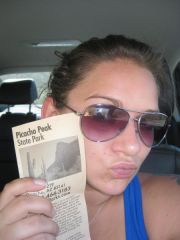 05 08 10
Hiking Picacho Peak
05 08 10
Hiking Picacho Peak
-
 05 08 10
Hiking Picacho Peak
05 08 10
Hiking Picacho Peak
-
