





cherbear75
LAP-BAND Patients
-
Joined
-
Last visited
-
Had my Surgery January 13th 2009. Before and after pics. This will be updated monthly.
-
 8-140-10
-
 8-14-10
-
 Taken 8-14-10 down 108lbs...
-
 No caption
-
 No caption
-
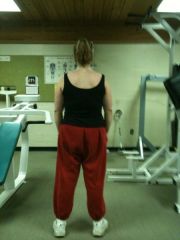 3/9/10 pants too big
-
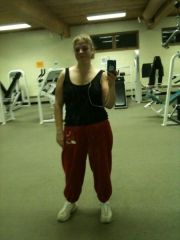 3/9/10 @ the gym
-
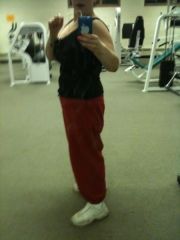 3/9/10 170lbs...WOW!!! is all I can say. Very pleased with my band. I have not weighed this much since I was a teenager.
-
 New Years Eve 12/31/09 178lbs
-
 10/9/09 Officially in the 100's now...YAY!!
-
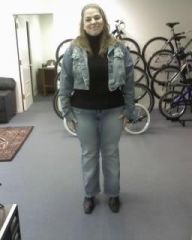 10/9/09 Officially in the 100's now...YAY!!
-
 Officially in the 100's now...YAY!!
10/9/09
Officially in the 100's now...YAY!!
10/9/09
-
 cherbear 10/7/09
-
 cherbear 10/7/09
-
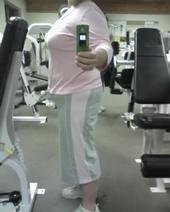 cherbear 10/7/09
-
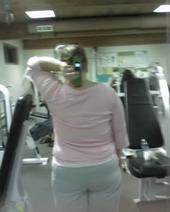 Cherbear taken 10/7/09 10 months post-op 200 lbs, 56 lost
-
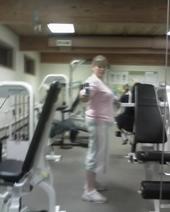 Cherbear taken 10/7/09 10 month post-op 200 lbs, 56 lbs lost.
-
 9 /1/09 cherbear2
-
 9 1 09 cherbear4
-
 9/ 1/ 09 53lbs gone.
-
-
:cool2: I am very happy for you and Congrats!!! How much did you loose so far adamsmom? This is good news all the way around for you.
-
Hello everyone, How are we all doing? What happened to everyone? I am down 43 lbs now and I have a good restriction. The Dr does not want not want to fill me anymore and he said I a doing good with the weight loss. So I have 4cc in my band. I am down to 213 lbs as of this morning...YAY!!! coming off slowly. I have 73lbs to go to my goal. I would like to hear for everyone else and see where you are at. Thanks!!
-
I am 33 years old and grew up with MJ's music. I was shocked and sad to hear of his passing. Everyone is entitled to their opinion of MJ. He was the King of Pop and he sure could dance, he also was good looking before his plastic surgery, After that he looked like Planet of the apes and he went down hill from there. My thoughts and prayers are with the Jackson family at this time, R.I.P. MJ
-
Glad to hear your problem is solved with the band adamsmom. I just had my 5th fill June 17th. So now I am 3 1/2 cc in a 10 cc band. I MUST learn to Chew....Chew.....Chew. I am getting things stuck now and it hurts for about a min till it goes down. I am eating much less than I was prior to this fill and I don't get as hungry in between my meals now. It sure is getting better. I am down to 217 now and still going to the gym 3x a week. This is hard work even with the help of the band. But I really love my band, I look and feel so much better. I am looking forward to getting down between 130 & 140 I am very excited. I also noticed if I don't eat when I am hungry and wait it out for another hour or so, I get very bad hunger pains in my stomach. Does anyone have that problem?
-
Hello everyone, I am doing good, gong for my 4th fill on Wednesday. I am eating about 1200 -1500 calories a day and making sure I eat lots of protein. I still am loosing a lot of inches the weight is coming off slow. Today I had a Dr's appointment because I am sick for the first time in a long time, anyway she asked me how things were going since my lapband and I told her I workout 3 days a week ect.. and she told me I should start working out 5 days a week. To help tone my muscles. Going to the gym more often would not hurt but that is alot to me. Anyone else's opinion would be greatly appreacited.
-
I think you may be right Adamsmom and my port is on my right side. I still do eat fast and don't take small enough bites. I do try and eat with a fork and knife at my meals. I will take your advice and try to eat slower. it is not easy to do.
-
Hello again Everyone, i have lost 3lbs since my fill last week and I am very happy with that, However I am having a small issue and wondering if anyone else has the same issue. On my left side i get a pain sometimes after I am done eating and it hurts when I inhale. I did call my Dr. he told me if I was starting to feel better not to worry about it, but when I eat it starts to bother me again and when I burp or relive gas it goes away for a little bit and then come back again. Weird, I was thinking it was the foods I am eating. I am a whole lot of pain but it is there and sometimes when I lean to my left side and put pressure it hurts a bit. If I would have to rate the pain between 1-10 I would give it a 3. So now I am debating to call him back or not. He told e he would take x-rays of my stomach if it keeps up. maybe I should go, just to be safe. I am so stubborn. My break is over and must get back to work now. Thanks in advance for any information.
-
Hello Everyone, I go my 3rd fill today. He filled me 5cc so far so good. I lost 4lbs since my last appt. with him he told me keep doing what I am doing ). What I see the most is inches melting off my body more than anything. I can't complain because it's better than nothing.
-
Hello Everyone, I have been so busy and not enough time in my day to get things done. I have been very well. Things get stuck if I don't chew well and that hurts. I have lost lbs since my fill on /3/25/09. I do feel very little restriction it will last about 1 - 2 hours then I get hungry again but i just push it off and start doing things around the house to stay away from the kitchen. adamsmom, I am sorry to hear about your son and I hope things get better for you. Kids can be very cruel.
-
I heard Unjury was a good protien shake unjury.com. It was a little too expensive for me. so I have been taking the Wheybolic as well at the GNC store in my area. But I get the Chocolate. I am 3 month post -op and still drink it, only in the morning.
-
That is GREAT news adamsmom. Keep up the good work. I had a fill yesterday and I lost 1 lbs since my last visit on 2/26/09 which is better than nothing. Like I said before I am loosing inches so as long as I am loosing something i am happy. When I got my fill he filled me .5cc and when I ate lunch & dinner yesterday I did feel a little restriction the last time I felt nothing. So today when I had a small bowl of Cereal i did not feel a restriction but my bowl was very small maybe 1/4 of a cup. So I guess When I eat my lunch today I will see if I feel a restriction. My Dr said it may take 4-5 fills. I am not worried at all. I am going with the flow. I am so happy that I made this decision for myself.
-
You are very welcome adamsmom. Hope you find what your looking for. You may want to also buy a belt cause if it gets too baggy then you have the belt for back up. I just bought 3 pair of new jeans and some summer stuff at the thrift store, and the things I got are like new. i really did not like any shirts so a went to a place called dots here in PA and they have shirts that are a decent price.
-
Hello Adamsmom, You can go to a used clothing shop (thrift stores) Do you have any in your area? You may be able to find some on eBay as well. If you don't mind me asking what size are you in now? I am doing well, I go for a fill Wednesday the 25th I will keep everyone posted on how that goes. My weight is not moving very much but my inches are just falling off of me. It is possible to loose inches and stay the same weight or loose just a few pounds. I have a busy weekend coming up, so I am looking forward to my weekend. Talk to everyone soon. Hope everyone has a good weekend.
-
Thanks adamsmom, I have been working very hard. I try to get to the y at the least 2 times a week and work out for about an hour and I am now in a size 18 jeans and a xl shirt. I was in 24 jeans and 2x - 3x shirts. i even had to go out today and buy smaller bras. I was in a 42DD and now it's a 40D YAY!!!:scared2: i can tell that I lost inches. This just makes me want to work even harder now. But sometimes my busy sechedule will not alow me to get to the Y more often then 2x a week. I have a fill coming up in 1 week and 5 days. WHOOOT! How is everyone else doing?