phan35mel
LAP-BAND Patients
-
Joined
-
Last visited
-
hi I just had the lapband done on jan 6th. I was told about 2 weeks for a return to work. My hospital stay was just one night then I was home by noon the next day. I can tell you I have struggled with every diet imaginable. This is definately a great tool to help me get on the right track. I am on straight clear liquids now yet I do not fell hungry one bit. I was able to walk out of the hospital. Just a little sore but feeling better every day. I hope this helps anymore questions feel free. good luck :tongue2:
-
I just had my band put in on jan. 6th. I have been sticking to the post op diet. I dont feel hungry but reading some posts here makes me wonder. How long after surgery before you have your first fill? And is it easy to tell if you need another fill? any input on this would be greatly appreciated.
-
I just had my band put in on jan. 6th. I have been sticking to the post op diet. I dont feel hungry but reading some posts here makes me wonder. How long after surgery before you have your first fill? And is it easy to tell if you need another fill? any input on this would be greatly appreciated.
-
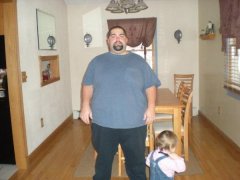
Mel & Sara, a weight loss surgery photo album by phan35mel on BariatricPal. 5 photos in Member Photo Gallery.