michellehappy34
LAP-BAND Patients
-
Joined
-
Last visited
Everything posted by michellehappy34
-
i just had the surgery 11-6-09 and it was not that bad , i just did not like when i went for a x ray the person who took me was very rude he just pushed me down there didn't say a word , he didn't say someone will be with you in a minute. It took him darn near a hour to come back and get me. Every one else was OK . I didnt expect more from Chicago hospitals they are over crowed , and i barely never had good service from most of the hospitals because of it being overcrowded when i lived there. But they call you at lap band and if you have a problem you can go see them. the appointments are once a month but you can go see them if you have a problems anytime they stress that a hundred times. THEY WERE EXTREMELY NICE TO ME TOO
-
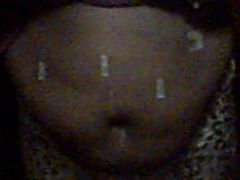
me 7 days after surgery, a weight loss surgery photo album by michellehappy34 on BariatricPal. 5 photos in Member Photo Gallery.
-
with 20 pounds gone
-
hello i am very scared too but with prayer and support it will be ok. The problem with me is i am a punk when it comes to pain , when i had my tubes tied and my three kids i felt like i was going to die and i know this is going to be painful so i am scared . My family members and friends had there kids like it wasnt nothing and my sister did a cross word puzzle while in labor . me nope so i am praying for quick recorvery
-
this is why i need the lap band