Skip to content
View in the app

A better way to browse. Learn more.

BariatricPal

A full-screen app on your home screen with push notifications, badges and more.

To install this app on iOS and iPadOS
  1. Tap the Share icon in Safari
  2. Scroll the menu and tap Add to Home Screen.
  3. Tap Add in the top-right corner.
To install this app on Android
  1. Tap the 3-dot menu (⋮) in the top-right corner of the browser.
  2. Tap Add to Home screen or Install app.
  3. Confirm by tapping Install.

Carlton

Pre Op
  • Joined

  • Last visited

  1.    HMol84 reacted to a post in a topic: January 2023 Surgery Buddies!
  2.    DeAnnasNewLife23 reacted to a post in a topic: January 2023 Surgery Buddies!
  3.    DeAnnasNewLife23 reacted to a post in a topic: January 2023 Surgery Buddies!
  4.    Merida reacted to a post in a topic: January 2023 Surgery Buddies!
  5.    LeCiel reacted to a post in a topic: January 2023 Surgery Buddies!
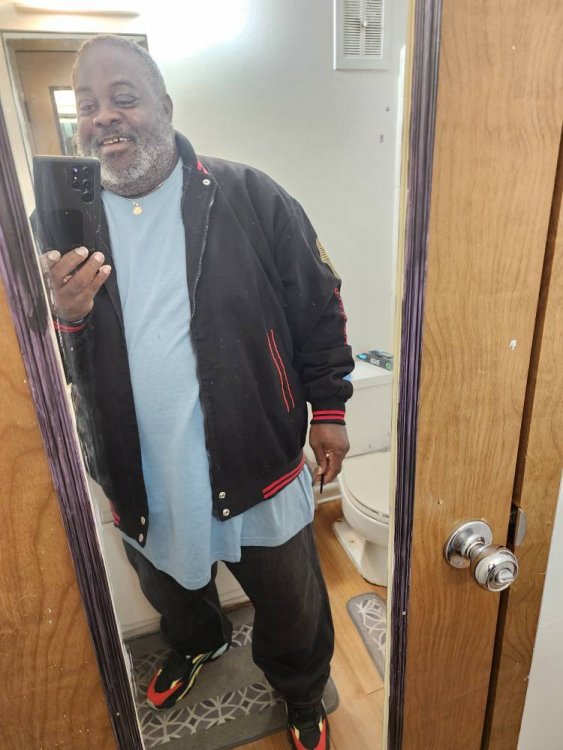
  6. Hello, I guess I can day I feel great. I'm still hurting in my stomach, but it's getting better. I weighed 338 pounds the first visit to the weight loss management center Oct.19th, 2022. Surgery was January 9th, 2023. As of January 28th, 2023, my weight is 297 pounds. Still have some work to do. The good thing about all of this is that I'm walking, standing, and sleeping more than I've done in more than 15 years. I don't post a lot but I will try to do better. Sent from my SM-S908U using BariatricPal mobile app
  7.    Blessd1 reacted to a post in a topic: January 2023 Surgery Buddies!
  8.    Merida reacted to a post in a topic: January 2023 Surgery Buddies!
  9. I'm having my surgery January 9th. I have started my 2 week plan already. Sent from my SM-S908U using BariatricPal mobile app
  10. I will be having surgery January 9th. Sent from my SM-S908U using BariatricPal mobile app

Trending Products

PatchAid Vitamin Patches

Account

Navigation

Search

Search

Configure browser push notifications

Chrome (Android)
  1. Tap the lock icon next to the address bar.
  2. Tap Permissions → Notifications.
  3. Adjust your preference.
Chrome (Desktop)
  1. Click the padlock icon in the address bar.
  2. Select Site settings.
  3. Find Notifications and adjust your preference.