




Skip to content
View in the app

A better way to browse. Learn more.

BariatricPal

A full-screen app on your home screen with push notifications, badges and more.

To install this app on iOS and iPadOS
  1. Tap the Share icon in Safari
  2. Scroll the menu and tap Add to Home Screen.
  3. Tap Add in the top-right corner.
To install this app on Android
  1. Tap the 3-dot menu (⋮) in the top-right corner of the browser.
  2. Tap Add to Home screen or Install app.
  3. Confirm by tapping Install.

Amanda526

Pre Op
  • Joined

  • Last visited

Everything posted by Amanda526

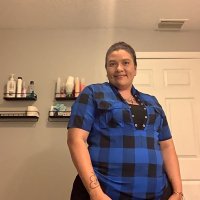
  1. Hello I am new here my name is Amanda I am 40 years old I’m going through the process of having gastric sleeve surgery my last thing to do is a sleep study and I have one more appointment with the dietitian so all the papers will be sent to Medicaid I don’t know how the process works and how long it takes I am stressing myself to the max because I am so worried that something is going to go wrong where I cannot have my surgery I really need the surgery because I am diabetic I have sleep apnea and I cannot walk for long periods of time therefore I can’t have fun with my family like I used to because my legs were swollen up anyone has any information please let me know
Trending Products

PatchAid Vitamin Patches

Account

Navigation

Search

Search

Configure browser push notifications

Chrome (Android)
  1. Tap the lock icon next to the address bar.
  2. Tap Permissions → Notifications.
  3. Adjust your preference.
Chrome (Desktop)
  1. Click the padlock icon in the address bar.
  2. Select Site settings.
  3. Find Notifications and adjust your preference.