lessofcarrie
LAP-BAND Patients
-
Joined
-
Last visited
-
Just a few suggestions, I don't have much lap band experience yet. The back pain sounds like it may be gas. Try some mylicon. When you lie down do so on your side with a pillow between your knees. I don't know about you but it is uncomfortable to lay on the side where my port is so I always lay on my right side. Also walk, walk, walk. As far as the stuck part. I have overindulged at some points and it feels like I am just full to the top (like it is even hard to swallow). For me walking also helps. Even if you just stand up and walk in place for a while. Like I said I don't have much experience with it yet but this has worked for me.
-
Hi all- I am Carrie a 31y/o mom of 2 beautiful kids ages 4 and 2. I have struggled with my weight, as most have, for most of my life. At my heaviest, in January of this year, I weighed 286. My pre-op weight was 256. I am new to the post op lap band journey. I had my surgery 7/31/2008. I guess I am in the baby stages right now and will have my first fill 9/8/2008. I am looking forward to it, but also a little nervous. Mostly though I am looking forward to the rest of my life and the prospect of releasing a 100+ pound burden that I have been carrying around for about 15 years. I can't wait to read the success stories of others and hopefully meet a few mentors and friends.
-
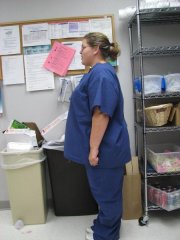
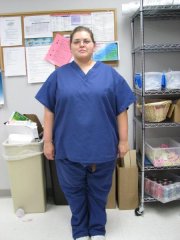
May 2008, a weight loss surgery photo album by lessofcarrie on BariatricPal. 2 photos in Member Photo Gallery.