




.jpg.f01e46d05b262ce71c45dd18c9bdd39b.jpg)
sweetsmith78
Pre Op
-
Joined
-
Last visited
-
-
-
-
-
-
-
-
-
-
-
I use the app lose it. It’s free easy to use! your doing great. Yes this is normal .
-
-
I have used my fitness pal for years . It’s easy to use . Not complicated at all!
-
I’m so tired of friends family strangers asking why are you so skinny? How would you respond?
-
Start reading about weightloss stalls .
-
-
 sweetsmith78 reacted to a post in a topic:
What do you wish you would have known more about before WLS?
sweetsmith78 reacted to a post in a topic:
What do you wish you would have known more about before WLS?
-
-
If you’re eating the set amount of calories set by your team you will loose. Vsg will limit your food intake = less calories . You mention all the weight . In all honesty it’s mind over matter.The stomach has ghrelin wich singles hunger. This is removed and does come back. This new stomach lets you basically retrain your brain to eat. It’s up to you to keep calories set by your nutritionist.
-
Hello to all! for those of you have seen me pop up here and their over the course of five years. The past year has been hell. So I had a gastric sleeve this has been confirmed by other mri’s / ct scans years ago. I have had sever diarrhea . When I eat food sits right under the sternum. Well I went to ER for diarreha , dehydration along with stomach and flank pain. They dismissed as nothing was wrong when I got home the ct scan states “Bowel: Postoperative change of stomach and jejunal loops, Roux-en-Y surgery changes. I did not have this done. I’m Still in rough shape Any one have any thoughts? I know some of us are not dr’s . I just need insight.
-
-
-
-
Jello water sugar free. Gateraid. Broth, tea. Water down protein drink.
-
All possible side effects besides weight-loss. That can be detrimental to your health. (Reality ) ?.
-
5 years out of vsg . Please no judgement. I’m loosing to much?. I regret the decision to better my life with this surgery . now I’m walking skeleton. It’s a side effect that’s not talked about. ( shame ) If anyone is having the same issue please reach out. I understand most aren’t in my predicament. But nice encouraging words are helpful.
-
I would and I did . Make a scrambled egg. Remember texter and density make a difference on the feeling of stomach. I would take one bite and see how you feel. But remember head hunger is the real deal. ? dont fret the weightloss stall. Mine was six weeks then swish it was gone! You will enjoy this thread the documentation of the journey and learning . You can look back years later.
-
I have all way eaten by the guidelines. Have done very well with the weight loss . So I have come to conclusion this will be a life time battle of gaining weight unfortunately, I regret wishing and getting something that would greatly improve my life. Have I added protein drinks, no I wouldn’t able to leave the house. But I eat proteins all day . Chicken chicken chicken . Cottage cheese. Veggies ect. one cup at a time several times a day. The past few months I have added a whole bag of chips that I can eat thru out the day on top of my healthy meals. Chips is 2000 calories a day. 14 grams of protein. Saturated fats 15 grams . Carbs 208 . Im doing the opposite of guidelines . Blood work is all normal. Should I have such a restriction 5 years out.? I wake in the middle of the nite to eat, I’m so hungry. Yes stress plays a role in weight . I have a pretty good life;)
-
-
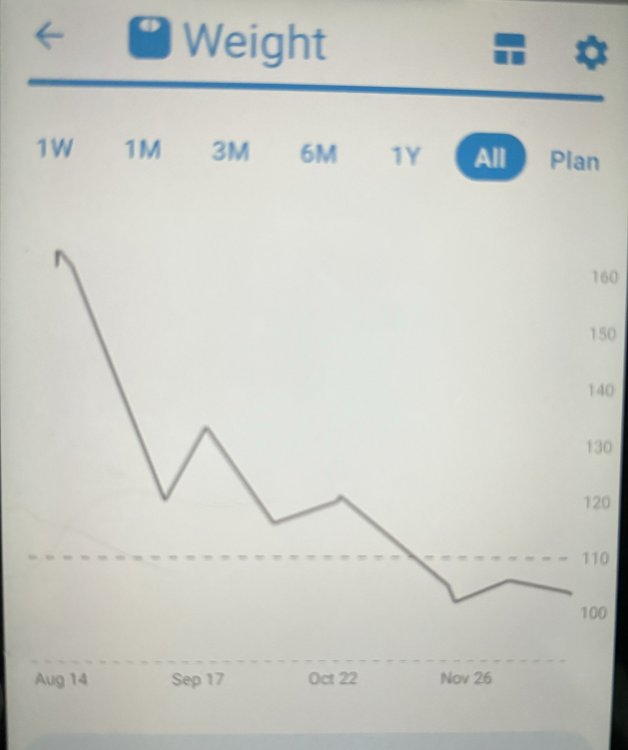
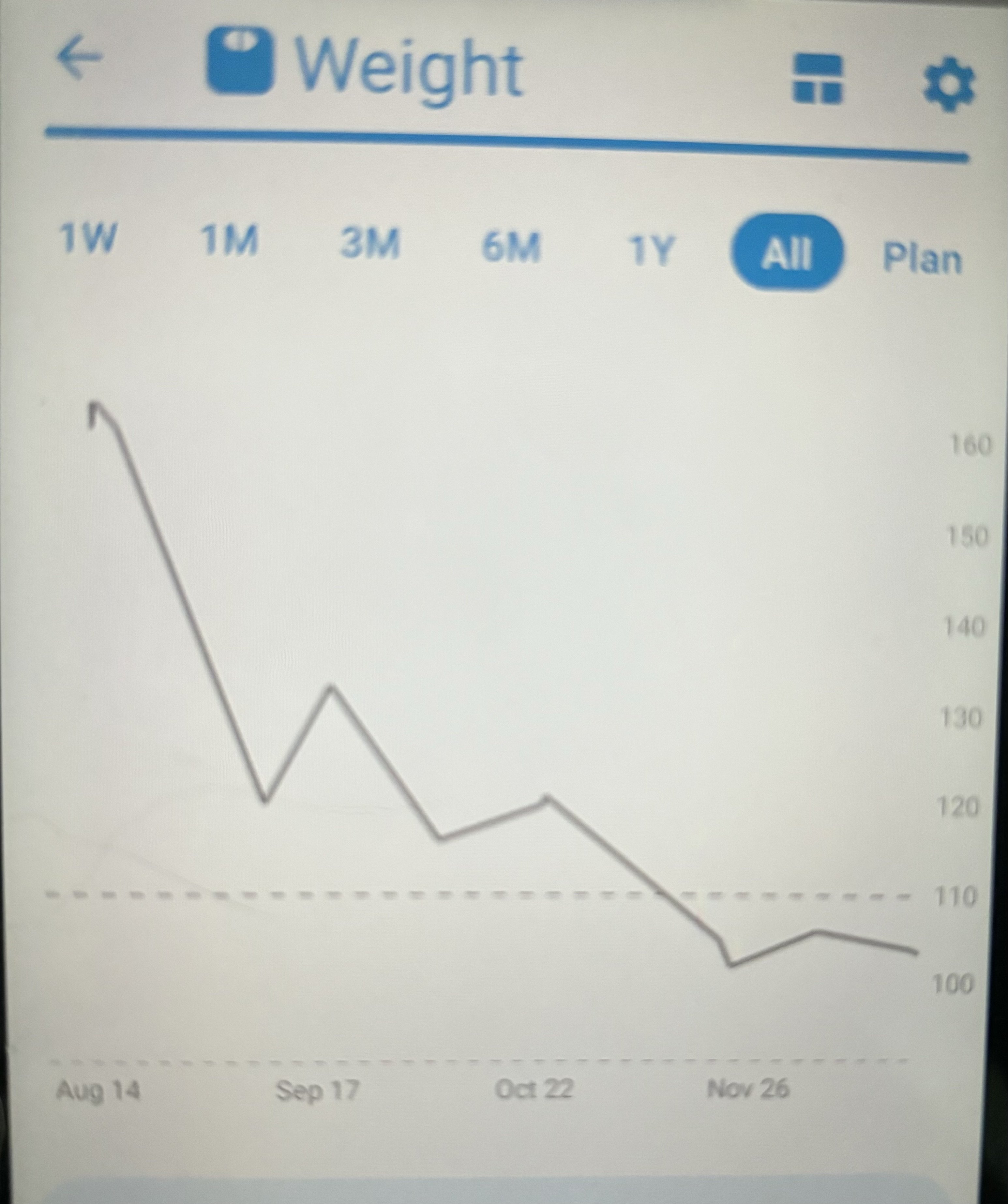
Hello long time no speak! I had my vsg 4 years ago . With the typical stalls of loosing weight. As I approached my goal weight . The scale keeps going down. To the point I’m now underweight . Was told not to loose any more. Blood test all come back great. She did order an upper GI . Why? I have no pain or heartburn. i can eat and eat and eat. Half cup or less at an time even wake up in my sleep to eat. I feel as if my body is starving . I’m sure I’ll get the back lash but I know I’m not the only one suffering. If you happen to see a form on here please let me know. I don’t want bad eating habits like chips . Pop . Candy . But I am to keep the scale from moving in the negative ?
-
-
I don’t enjoy food, good question. Took me two years to learn not to over eat. We know what happens when we over eat. I eat small amounts thru out the day 3/4 a cup 4 times a day at max. Now I wake ip in the middle of the nite eating Quality food . It either comes up or goes out in unpleasant ways. The odd thing is. one week I’m starving.I can’t seem to fuel my body. The next week I have no appetite it’s been one hell of a roller coaster ride. Thanks for pointing out allergies many would’ve thought that. Im good . nausea medication any suggestions over the counter? Besides that, going out with friends and eating is embarrassing. You take three bites done in 5 minutes. Mean time people are conversating and eating for an hour. I miss the days of indulgent .
-
-
I hope you get answers . I'm having the same issue. I'm down to 90 pounds. It's not healthy or healthy looking. The only thing I can suggest that we do is watch calorie intake. But then again at this state. I regret doing what I did. Before I have mentioned this it seems as if I was scrutininized . I Just want support. Good luck ejm hope we get some thoughts on this
-
At first I was a calorie counter about 6 months. Now I just watched what I eat. That being said I stay away from only man made carbs and small portions. Unfortunately I need to start counting loosing to much?
.thumb.jpg.268f57f945e3b800f6abd35fff25e23c.jpg)
.png "Care")