Skip to content
View in the app

A better way to browse. Learn more.

BariatricPal

A full-screen app on your home screen with push notifications, badges and more.

To install this app on iOS and iPadOS
  1. Tap the Share icon in Safari
  2. Scroll the menu and tap Add to Home Screen.
  3. Tap Add in the top-right corner.
To install this app on Android
  1. Tap the 3-dot menu (⋮) in the top-right corner of the browser.
  2. Tap Add to Home screen or Install app.
  3. Confirm by tapping Install.

apeek

Gastric Sleeve Patients
  • Joined

  • Last visited

Everything posted by apeek

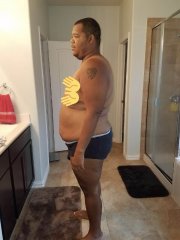
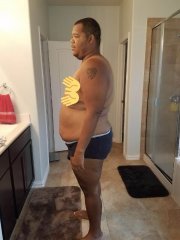
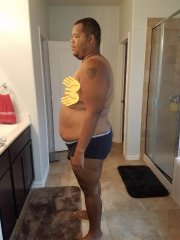
  1. Images added to a gallery album owned by apeek in Member Photo Gallery
    Weight loss since June
  2. Hey Ernest! Just checking in! How’d your surgery go? It took me about 3 days to fully recover. Let me know if you want any tips!
  3. I would love to connect with any sleevers in the Austin, TX area! I just had the sleeve on a June 21 and have lost about 60 lbs! Would love to exchange stories; and maybe do a few Fitbit challenges! Thanks, Anthony
  4. Maybe the root cause of her unhappiness is because she hasn’t lost any weight. It sounds like she can also benefit from the surgery and then maybe you two can work out the some of your differences? Don’t be discouraged, you look great bro

Trending Products

PatchAid Vitamin Patches

Account

Navigation

Search

Search

Configure browser push notifications

Chrome (Android)
  1. Tap the lock icon next to the address bar.
  2. Tap Permissions → Notifications.
  3. Adjust your preference.
Chrome (Desktop)
  1. Click the padlock icon in the address bar.
  2. Select Site settings.
  3. Find Notifications and adjust your preference.