J San
Gastric Sleeve Patients
-
Joined
-
Last visited
Everything posted by J San
-
Honesty is best when it comes to the surgeon. You don't want to keep anything that may be an issue from him. These surgeons have heard it all, I'm sure. It's in their best interest to accept you as a patient and get you going on the program. It is how they make their living after all. Congrats On Taking The First Step and Best To You On Your Journey!!!!!
-
Congrats on both the success of the loss and staying there!!! You look great!! Also WELCOME. Even though you've probably been here longer to most.
-
Awesome transformation. Congrats!!!!!
-
You look great!!! Pretty amazing for such a short period of time. Hope your feeling as great as you look.
-
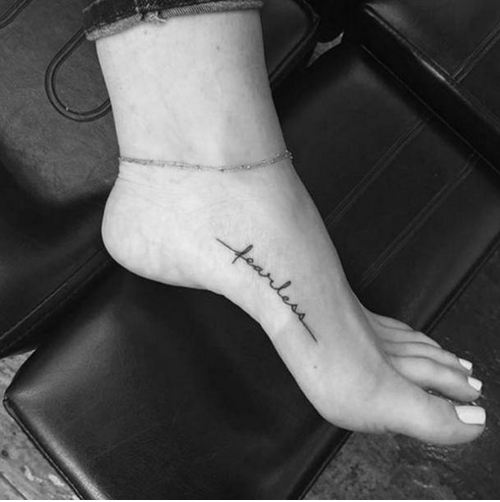
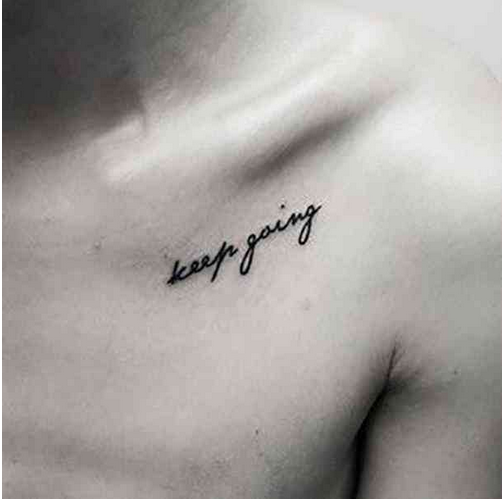
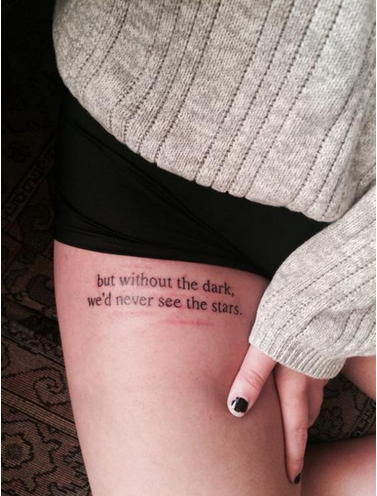
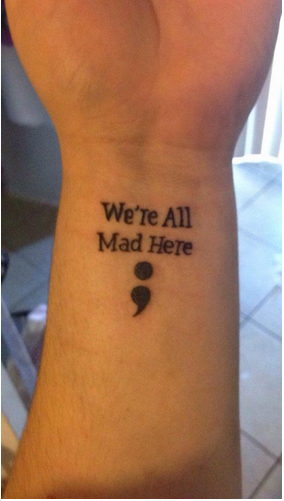
Not sure about some of the styles or placing of some of these but the wording is what I liked the most. This last one may not be inspirational but it works for me!!!!
-
Sorry for this bit of a long run. I know there have been forums of those thinking about getting ink post surgery and some of these pretty good.
 I put my black coffee in my shakes. I make mine with powder though. Taste is better than beforeI went back on coffee last month. Don't know if it's allowed just yet but didn't ask if I could. Doesn't seem to mess with my appetite at all and I've had ALOT.
Account
Navigation
Search
Configure browser push notifications
Chrome (Android)
- Tap the lock icon next to the address bar.
- Tap Permissions → Notifications.
- Adjust your preference.
Chrome (Desktop)
- Click the padlock icon in the address bar.
- Select Site settings.
- Find Notifications and adjust your preference.
Safari (iOS 16.4+)
- Ensure the site is installed via Add to Home Screen.
- Open Settings App → Notifications.
- Find your app name and adjust your preference.
Safari (macOS)
- Go to Safari → Preferences.
- Click the Websites tab.
- Select Notifications in the sidebar.
- Find this website and adjust your preference.
Edge (Android)
- Tap the lock icon next to the address bar.
- Tap Permissions.
- Find Notifications and adjust your preference.
Edge (Desktop)
- Click the padlock icon in the address bar.
- Click Permissions for this site.
- Find Notifications and adjust your preference.
Firefox (Android)
- Go to Settings → Site permissions.
- Tap Notifications.
- Find this site in the list and adjust your preference.
Firefox (Desktop)
- Open Firefox Settings.
- Search for Notifications.
- Find this site in the list and adjust your preference.