
Normaj3443
Pre Op
-
Joined
-
Last visited
Everything posted by Normaj3443
-
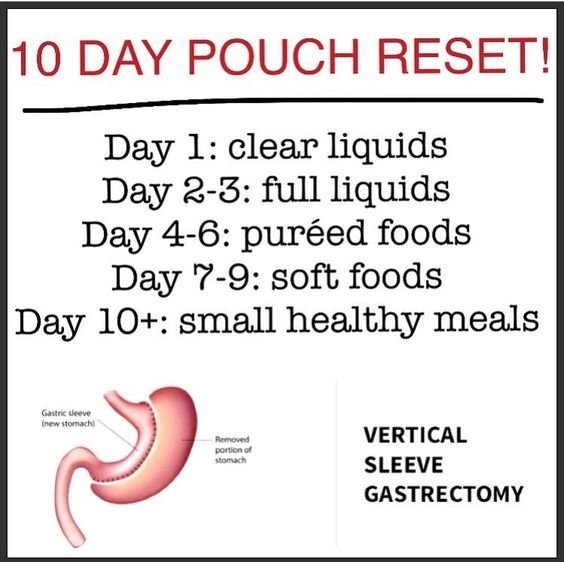
Here's one
-
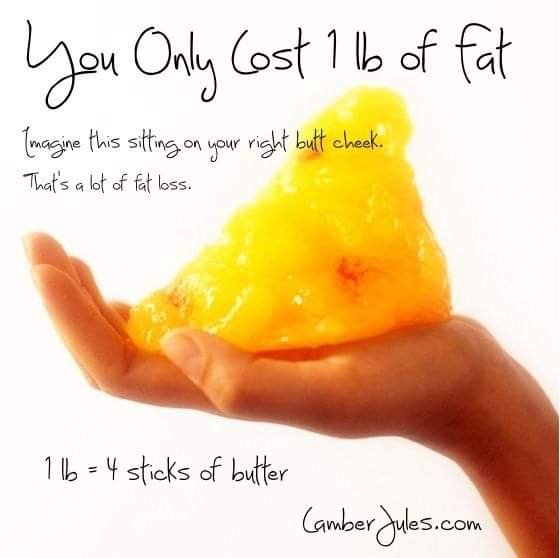
I'm just gonna leave this here for anyone who needs it!!
-
Does it taste better mixed with milk?
-
Good morning y'all! How much of a premier protein shake can you drink in one sitting at 15 months out?
-
No I'm still losing but my oldest son is 2 years out and he had gained about 5lbs and was asking about reset
-
Has anyone actually done a reset, if so, why did you do it and has it worked?
-
I'm 5 weeks post op and I find a lot of things gross me out.. I hope this changes! Sent from my SM-G935V using BariatricPal mobile app
-
It's normal, I remember having second thoughts when I was in the OR and they were fixin to put the gas mask on me to put me to sleep. I'm 4 weeks out and this is the best decision I've made! You got this!!! Sent from my SM-G935V using BariatricPal mobile app
-
[emoji79] Where can I find that diet? Sent from my SM-G935V using BariatricPal mobile app
-
Did you eat the bun? How far out are you? Sent from my SM-G935V using BariatricPal mobile app
-
I'm almost 3 weeks post op. I haven't had much pain and so far my recovery has been great. I'm not getting in all of my water or protein yet. I am however getting more water now than I was before being sleeved. The hardest thing is eating slow. If u don't eat slow I would take this ti.e before getting sleeved to practice. I am in the soft food stage now and still struggle with eating slow enough. Sent from my SM-G935V using BariatricPal mobile app
-
Sleeved 5/15/18 Sent from my SM-G935V using BariatricPal mobile app
-
I'm not having any trouble with my beard growth or limpness...? Sent from my SM-G935V using BariatricPal mobile app
-
Thank you James! Sent from my SM-G935V using BariatricPal mobile app
-
What exactly is a stricture and how do you know if you have one? Sent from my SM-G935V using BariatricPal mobile app
-
Welcome to the other side.....I would walk around as much as I could. That will help get rid of the gas pain you're having. Sent from my SM-G935V using BariatricPal mobile app
-
Thanks....my nutritionist recommended this app as well. Sent from my SM-G935V using BariatricPal mobile app
-
What's the name of the app? Sent from my SM-G935V using BariatricPal mobile app
-
I think that's what it was. I haven't drank much broth. I am taking my vitamins though. Sent from my SM-G935V using BariatricPal mobile app
-
When did you have surgery? Sent from my SM-G935V using BariatricPal mobile app
-
Thanks y'all it definitely hit the spot!! [emoji16] Sent from my SM-G935V using BariatricPal mobile app
-
It's crazy how bad I want pickles right now! If i didn't know better I'd think I was pregnant lol! Definitely no chance of that! Sent from my SM-G935V using BariatricPal mobile app
-
Hey y'all I'm 5 days post op and I'm still in the liquid diet stage. I'm craving pickle juice! Has anyone drank pickle juice while on liquids? Sent from my SM-G935V using BariatricPal mobile app
-
U look amazing...i would have guessed u already had it![emoji2] Sent from my SM-G935V using BariatricPal mobile app
-
Have u had any skin removal? Sent from my SM-G935V using BariatricPal mobile app