Chris_FL
Pre Op
-
Joined
-
Last visited
Everything posted by Chris_FL
-
I told everyone too. It just felt strange to not tell the truth when people ask how I did it. Plus I had some relatives who are overweight and wanted to be a positive influence. To date, three people have had the surgery because of me and are very happy. That makes me feel good!
-
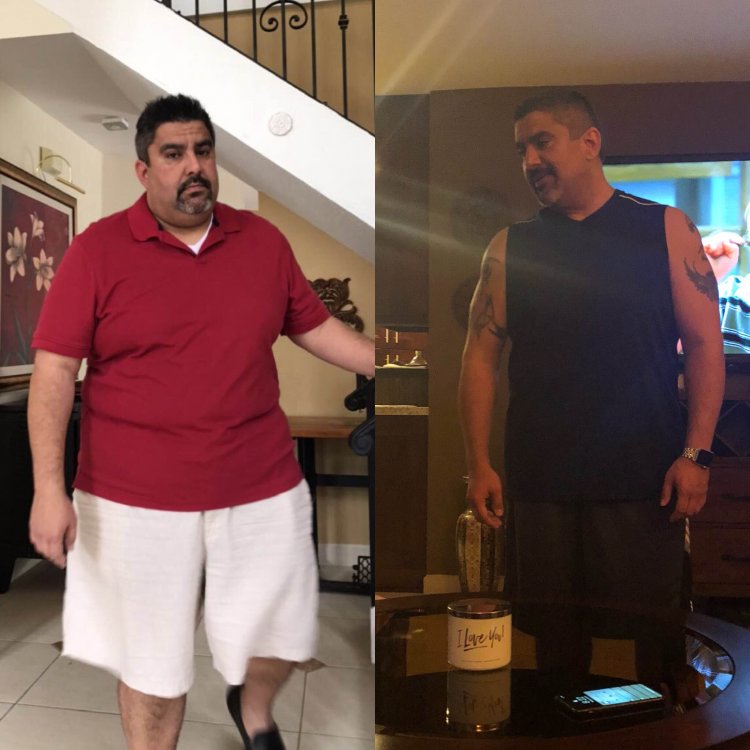
Never thought I would ever post a pic like this. 9 months post surgery down 95 lbs. Wish I did this 10 years ago...
-
You look great!
-
I’ve been drinking since 3 weeks post surgery. My work is very social and I️ tend to have an outing at least once a week or so. I️ asked my surgeon and he was comfortable with alcohol consumption as long as it was in moderation and not sugary sweet drinks, like daiquiris, piña coladas, or sweet mixers. No issues here.
-
You look Great!
-
Also, when you weigh yourself at home, you're typically wearing less clothing. At least in my case.
-
It's perfectly normal to feel that way. I was very nervous myself when I went in on Monday morning. It was over in the blink of an eye and I was back home Tuesday by 4:00pm. Today, the pain has decreased considerably. Felt like really bad cramps, but the pain killers helped. I'm super excited about my future and you should be too. I was nervous because so many people depend on me and I was scared of the chance that something could go wrong. But I realized this was something I needed to do if I wanted to be with my family for the long haul. You can do this. Good Luck!
-
October 9th for me [emoji3]
-
Congratulations! You look fantastic!
-
Hi, the same thing happened to me. I had to reschedule due to Irma. But I had my surgery this morning! How did yours go?