





Skip to content
View in the app

A better way to browse. Learn more.

BariatricPal

A full-screen app on your home screen with push notifications, badges and more.

To install this app on iOS and iPadOS
  1. Tap the Share icon in Safari
  2. Scroll the menu and tap Add to Home Screen.
  3. Tap Add in the top-right corner.
To install this app on Android
  1. Tap the 3-dot menu (⋮) in the top-right corner of the browser.
  2. Tap Add to Home screen or Install app.
  3. Confirm by tapping Install.
  • Appearance

Join BariatricPal free

  • Ask your own questions
  • Reply and follow topics
  • Message other members
  • No cost, no spam

Jaratar

Gastric Sleeve Patients
  • Joined

  • Last visited

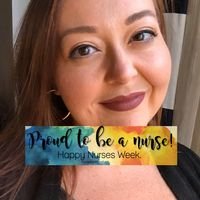
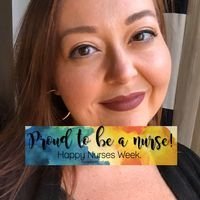
  1. Jaratar changed their profile photo
  2. I am a firm believer that by not being open and honest, and instead hiding things (especially major life changes such as WLS), we only contribute to the unfortunate stigma associated with it. Every single person I have told has been incredibly supportive, and for that I am lucky. The more people who know, the greater the support system around me. Maybe it's because I am RN and have very personal conversations with complete strangers every day at work about their health and bodies, but I feel no shame at all in discussing the importance of this surgery for my health and saving my life. And if anyone has anything negative to say, it's no sweat off my back; it is more a reflection of them than of me! If we are not going to advocate for ourselves and educate the general public, then who is?
Account

Navigation

Search

Search

Configure browser push notifications

Chrome (Android)
  1. Tap the lock icon next to the address bar.
  2. Tap Permissions → Notifications.
  3. Adjust your preference.
Chrome (Desktop)
  1. Click the padlock icon in the address bar.
  2. Select Site settings.
  3. Find Notifications and adjust your preference.