



Skip to content
View in the app

A better way to browse. Learn more.

BariatricPal

A full-screen app on your home screen with push notifications, badges and more.

To install this app on iOS and iPadOS
  1. Tap the Share icon in Safari
  2. Scroll the menu and tap Add to Home Screen.
  3. Tap Add in the top-right corner.
To install this app on Android
  1. Tap the 3-dot menu (⋮) in the top-right corner of the browser.
  2. Tap Add to Home screen or Install app.
  3. Confirm by tapping Install.
  • Appearance

Join BariatricPal free

  • Ask your own questions
  • Reply and follow topics
  • Message other members
  • No cost, no spam

Heathertleggett

Gastric Bypass Patients
  • Joined

  • Last visited

  1.    kv2025 reacted to a post in a topic: Has anyone kept their surgery a secret?
  2. Other than very few people (husband, mom, very close friends) I haven't told many people. I'm a teacher and have been off for the summer. I'm interested in seeing what happens when I return to work the end of this month. I work in a building full of women.they are all going to want to know "my secret" for weight loss. I am thinking right now that I will tell them. I don't like lying. I figure I will be the talk of the building for awhile and then it'll die off, like all juicy gossip. Sent from my SM-G928V using BariatricPal mobile app
  3. Hey guys, I had surgery on Monday and was sent home yesterday. I'm miserable with pain. It sucks. Will gasX help? I know I still have a lot of gas in there. I'm walking and walking. Also, please reassure me that this will pass. It's been a tough couple of days Sent from my SM-G928V using BariatricPal mobile app
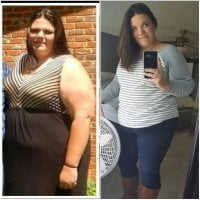
  4. Heathertleggett changed their profile photo
  5. Hi everyone, I am a 34 year old woman looking for a mentor/buddy, open to men or women (gosh that sounds like a dating website intro). I am scheduled for surgery Monday, June 26th at Duke Regional Medical Center in Durham, NC. I would like to have someone that I can text/message with throughout my journey. I'd really like to make a life long friend. Thanks so much for reading! ~Heather

Account

Navigation

Search

Search

Configure browser push notifications

Chrome (Android)
  1. Tap the lock icon next to the address bar.
  2. Tap Permissions → Notifications.
  3. Adjust your preference.
Chrome (Desktop)
  1. Click the padlock icon in the address bar.
  2. Select Site settings.
  3. Find Notifications and adjust your preference.