




Skip to content
View in the app

A better way to browse. Learn more.

BariatricPal

A full-screen app on your home screen with push notifications, badges and more.

To install this app on iOS and iPadOS
  1. Tap the Share icon in Safari
  2. Scroll the menu and tap Add to Home Screen.
  3. Tap Add in the top-right corner.
To install this app on Android
  1. Tap the 3-dot menu (⋮) in the top-right corner of the browser.
  2. Tap Add to Home screen or Install app.
  3. Confirm by tapping Install.
  • Appearance

Join BariatricPal free

  • Ask your own questions
  • Reply and follow topics
  • Message other members
  • No cost, no spam

Marc Kelleher

Pre Op
  • Joined

  • Last visited

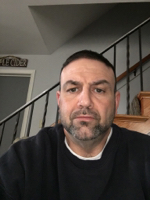
  1. Marc Kelleher changed their profile photo
  2. Hello everyone, first posting so I apologize ahead of time if I do it all incorrectly. I'm confused & frustrated. I've lost 132 lbs. since my surgery on 5/10/16 which is 1/3 of my total weight before surgery. But I've been stalled pretty much since 120 lbs down or so. I do workout very often, about 1 hour a day on average between cardio & strength training. I've had trainers tell my to adjust my macros & increase my calories. I'm currently at 2000 calories which is difficult for me to eat & my Protein is up to 200 grams a day. Still not really losing weight. Any suggestions on how to get through & continue to drop? I have about 80 lbs to go to reach goal.
Account

Navigation

Search

Search

Configure browser push notifications

Chrome (Android)
  1. Tap the lock icon next to the address bar.
  2. Tap Permissions → Notifications.
  3. Adjust your preference.
Chrome (Desktop)
  1. Click the padlock icon in the address bar.
  2. Select Site settings.
  3. Find Notifications and adjust your preference.