




Skip to content
View in the app

A better way to browse. Learn more.

BariatricPal

A full-screen app on your home screen with push notifications, badges and more.

To install this app on iOS and iPadOS
  1. Tap the Share icon in Safari
  2. Scroll the menu and tap Add to Home Screen.
  3. Tap Add in the top-right corner.
To install this app on Android
  1. Tap the 3-dot menu (⋮) in the top-right corner of the browser.
  2. Tap Add to Home screen or Install app.
  3. Confirm by tapping Install.
  • Appearance

Join BariatricPal free

  • Ask your own questions
  • Reply and follow topics
  • Message other members
  • No cost, no spam

Tr3sMilagros

Pre Op
  • Joined

  • Last visited

Everything posted by Tr3sMilagros

  1. I'm starting to get really bored with the soft food/ all protein diet and am starting to experiment and see what I can tolerate. I tried small amounts of breads and pasta, have had some thin crust pizza, a small amount of steak, all of which was tolerated without issue, I want to start eating balanced nutrition meals, but don't know where to start. Any suggestions on real meals? Sent from my iPhone using the BariatricPal App
  2. Sent from my iPhone using the BariatricPal App
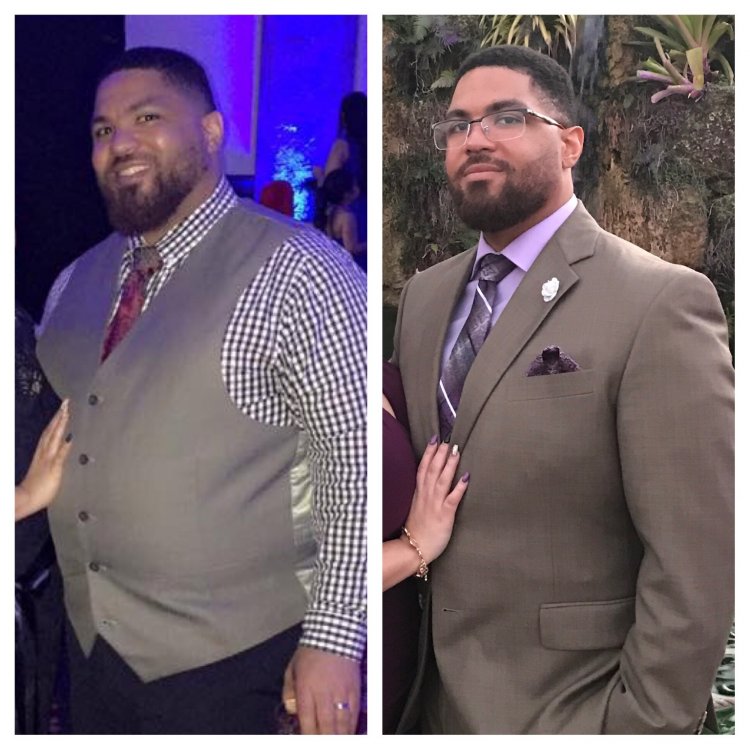
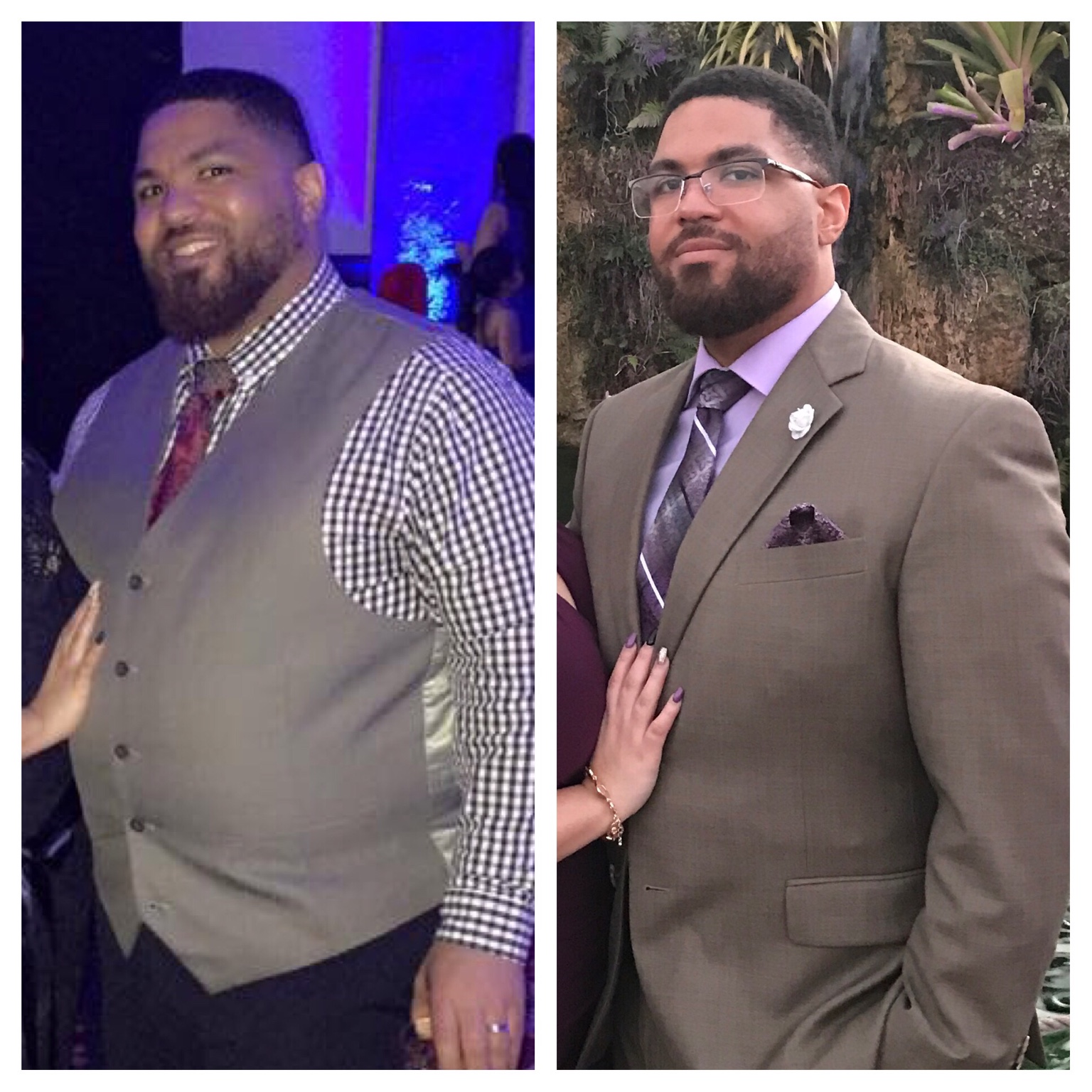
  3. I was sleeved 1/6 pre op heaviest weight 297, operation day 270, today 214! 56lbs gone since surgery, feeling good, but finding myself wanting to experiment with food. Sent from my iPhone using the BariatricPal App
Account

Navigation

Search

Search

Configure browser push notifications

Chrome (Android)
  1. Tap the lock icon next to the address bar.
  2. Tap Permissions → Notifications.
  3. Adjust your preference.
Chrome (Desktop)
  1. Click the padlock icon in the address bar.
  2. Select Site settings.
  3. Find Notifications and adjust your preference.