Skip to content
View in the app

A better way to browse. Learn more.

BariatricPal

A full-screen app on your home screen with push notifications, badges and more.

To install this app on iOS and iPadOS
  1. Tap the Share icon in Safari
  2. Scroll the menu and tap Add to Home Screen.
  3. Tap Add in the top-right corner.
To install this app on Android
  1. Tap the 3-dot menu (⋮) in the top-right corner of the browser.
  2. Tap Add to Home screen or Install app.
  3. Confirm by tapping Install.
  • Appearance

Join BariatricPal free

  • Ask your own questions
  • Reply and follow topics
  • Message other members
  • No cost, no spam

Blues8555

Pre Op
  • Joined

  • Last visited

Everything posted by Blues8555

  1. Thanks guys I feel better that is not only me whith this little problem xoxo Sent from my LGMS428 using the BariatricPal App
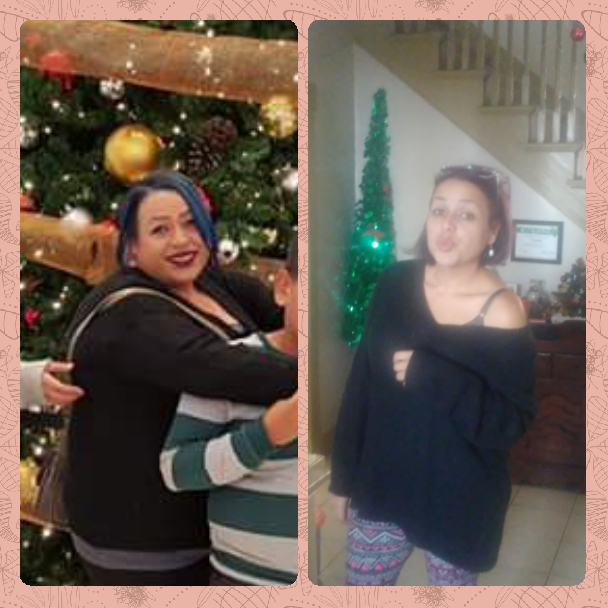
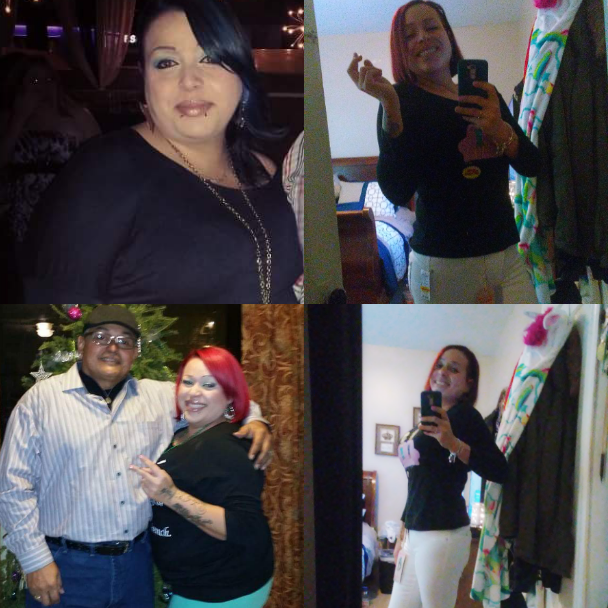
  2. Hi guys !!! Well I had gastric by pass on june 30 when I started this journey I was 260 SW 245 CW 163 I had a couple oof stalls along the way but manage to move I see the size went from 20 to a size 7 but I don't see the skinny minni they are calling me am not at goal weight I don't see what other people see so mi parents want me to go to a shrink maybe its just part of the process???????? Sent from my LGMS428 using the BariatricPal App

Account

Navigation

Search

Search

Configure browser push notifications

Chrome (Android)
  1. Tap the lock icon next to the address bar.
  2. Tap Permissions → Notifications.
  3. Adjust your preference.
Chrome (Desktop)
  1. Click the padlock icon in the address bar.
  2. Select Site settings.
  3. Find Notifications and adjust your preference.