Skip to content
View in the app

A better way to browse. Learn more.

BariatricPal

A full-screen app on your home screen with push notifications, badges and more.

To install this app on iOS and iPadOS
  1. Tap the Share icon in Safari
  2. Scroll the menu and tap Add to Home Screen.
  3. Tap Add in the top-right corner.
To install this app on Android
  1. Tap the 3-dot menu (⋮) in the top-right corner of the browser.
  2. Tap Add to Home screen or Install app.
  3. Confirm by tapping Install.
  • Appearance

Join BariatricPal free

  • Ask your own questions
  • Reply and follow topics
  • Message other members
  • No cost, no spam

kelefev

Pre Op
  • Joined

  • Last visited

  1.    kelefev reacted to a post in a topic: Lapband Removal Recovery
  2. @@johnny207 can I ask how long you had the band before you submitted for revision? Also what types of problems were you having? Sent from my iPhone using the BariatricPal App
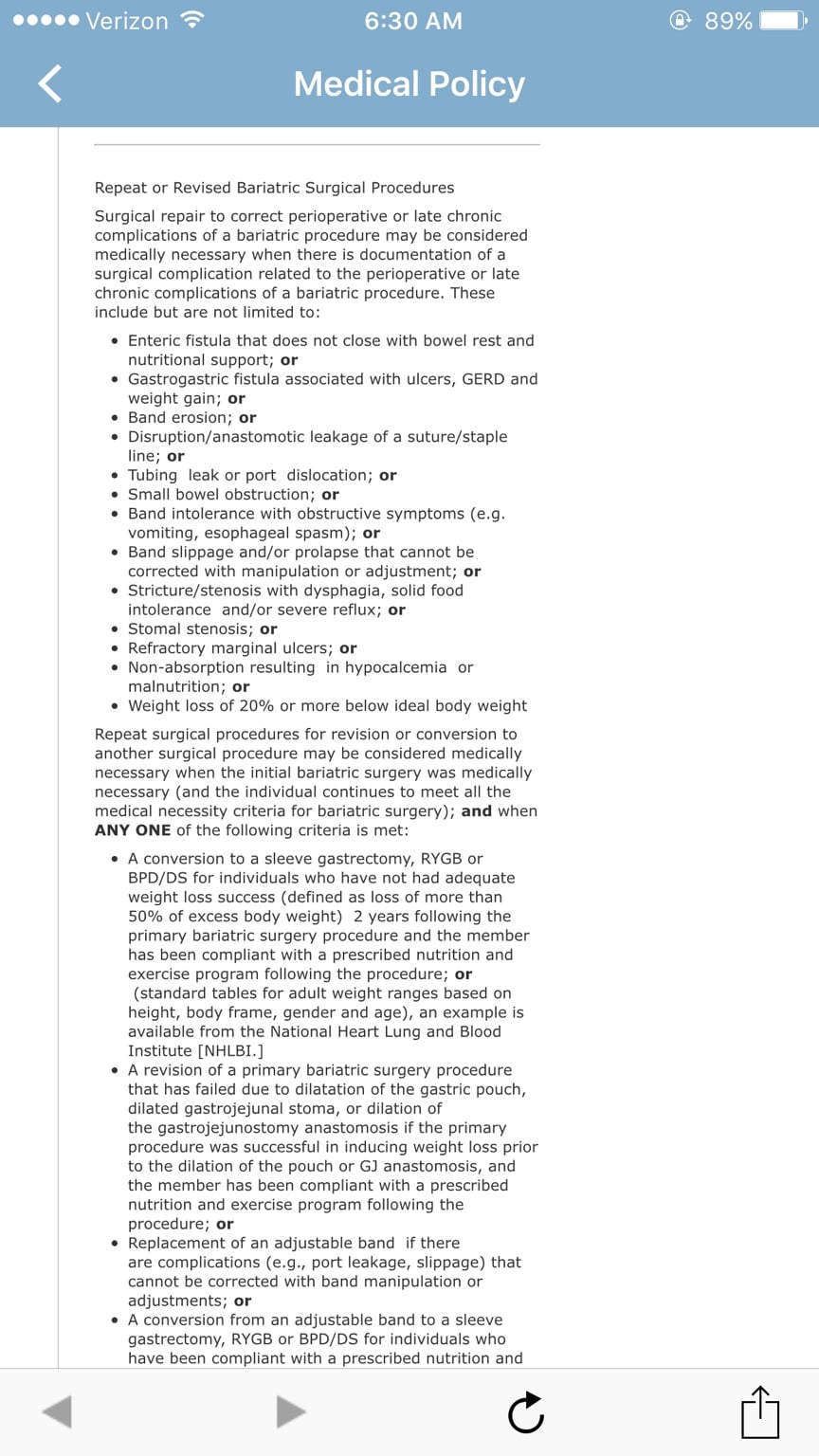
  3. Hello, I am in the same situation. I have Highmark Blue Shield and they have a policy for new procedures and one for revisions (I will post the revision policy) so I'm wondering if I will be required to do the 6 month diet again. I did it back in 2010 with my lap band but that was through Capital Blue Cross. I can't wait to get the band out, every day is a struggle with it! Sent from my iPhone using the BariatricPal App
Account

Navigation

Search

Search

Configure browser push notifications

Chrome (Android)
  1. Tap the lock icon next to the address bar.
  2. Tap Permissions → Notifications.
  3. Adjust your preference.
Chrome (Desktop)
  1. Click the padlock icon in the address bar.
  2. Select Site settings.
  3. Find Notifications and adjust your preference.