LauraLeigh21
Gastric Bypass Patients
-
Joined
-
Last visited
Everything posted by LauraLeigh21
-
April 25, can I get the link as well?
-
Congrats!! How are you feeling? Sent from my iPhone using the BariatricPal App I am feeling great! I had alot of gas pain the first two days other than that all is well! I was able to start back at the gym (walking) on Monday. Sent from my XT1254 using the BariatricPal App
-
I had mine on 4/25! Sent from my XT1254 using the BariatricPal App
-
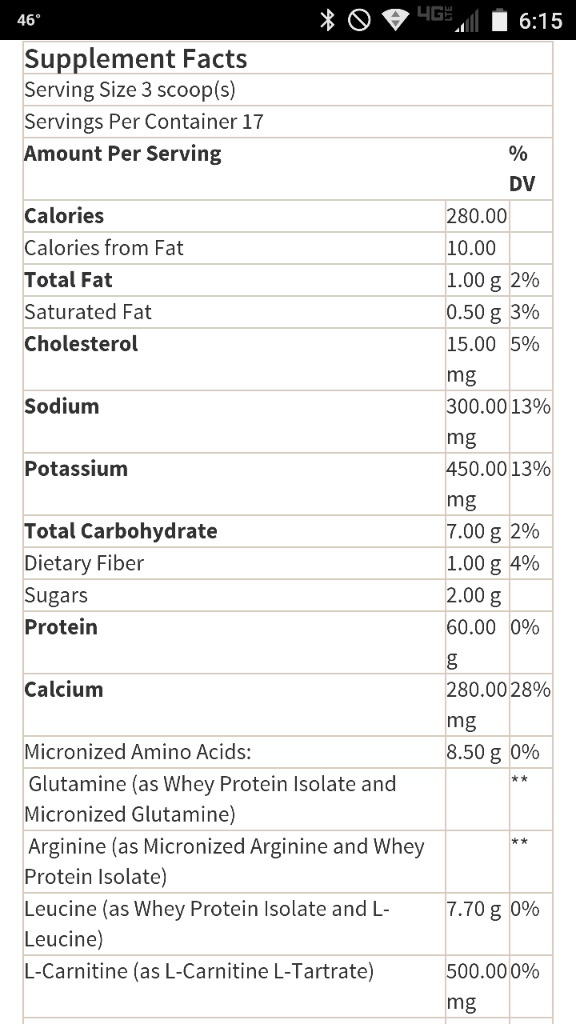
Honestly I don't know if it's 100% whey. My nutritionist said it was a good protien. 1 scoop is 20g of protein. I added the nutrition label. Like I said before my three favorite flavors I mix w 4oz skim milk and 2 ice cubes in a shaker. The vanilla I do mix w 4oz of brewed coffee that I put in freezer to chill, then add ice cubes also. The colder they are the better they go down. However if you blend them they get to foamy. Sent from my XT1254 using the BariatricPal App
-
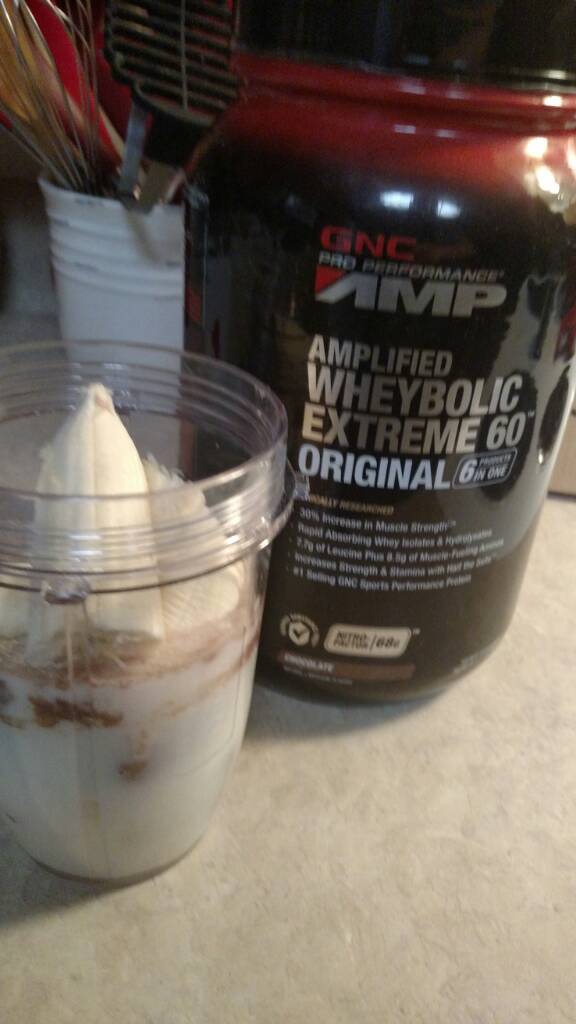
this is my favorite protien, purchased from GNC. This pic was pre surgery. Now I mix 4oz skim milk, one scoop (chocolate, vanilla and peanut butter) and I put two ice cubes in and shake. I let set for a few minutes and drink. I had surgery on 4/25 and was able to drink a shake twice a day starting on 4/28 Sent from my XT1254 using the BariatricPal App
-
I was told 2-4 weeks. I had surgery on 4/25 and I went to work for a few hours today, and it felt great to be back! Sent from my XT1254 using the BariatricPal App