




Skip to content
View in the app

A better way to browse. Learn more.

BariatricPal

A full-screen app on your home screen with push notifications, badges and more.

To install this app on iOS and iPadOS
  1. Tap the Share icon in Safari
  2. Scroll the menu and tap Add to Home Screen.
  3. Tap Add in the top-right corner.
To install this app on Android
  1. Tap the 3-dot menu (⋮) in the top-right corner of the browser.
  2. Tap Add to Home screen or Install app.
  3. Confirm by tapping Install.
  • Appearance

Join BariatricPal free

  • Ask your own questions
  • Reply and follow topics
  • Message other members
  • No cost, no spam

Phillzyintx

Pre Op
  • Joined

  • Last visited

Everything posted by Phillzyintx

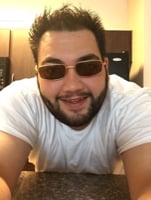
  1. Well...I'm nervous to say, but in a very determined way my surgery date is March 22 at 11am!!! My bday is the 6th so I turn 30 then 2 days later start my journey. I start my 2 week liquid diet which I really need a buddy to keep sane or buddies!!!! I'm starting off nearly 390 lbs and about a 56 waist in polo jeans I'm border line diabetic and high cholesterol with bad legs lets cross our fingers and pray that after following my meals and good exercise as a dad of 2 super awesome kids my boy 4 and my girl at 7 months at 31 my next birthday I will be a bit healthier and here to stay a lot longer for these kidos!!!! And I wanna be ridiculously good looking again lol #bluesteel

Account

Navigation

Search

Search

Configure browser push notifications

Chrome (Android)
  1. Tap the lock icon next to the address bar.
  2. Tap Permissions → Notifications.
  3. Adjust your preference.
Chrome (Desktop)
  1. Click the padlock icon in the address bar.
  2. Select Site settings.
  3. Find Notifications and adjust your preference.