
Tammy ChanceCover
Pre Op
-
Joined
-
Last visited
-
Tammy ChanceCover changed their profile photo
-
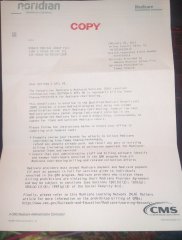
Images added to a gallery album owned by Tammy ChanceCover in Before and After Gastric Sleeve PhotosI recieved a bill from #blossombaratrics and wonder what was going on. I have both medicare and medicaid which makes it illegal to bill me as QMB patient. It also makes illegal for them try and collect money from me. I want everyone to know if your dealing Dr. T. Umbach or Dr. M.E. Appel you need to know the law and your right's. Because they will try and get money from you if they can. If the do this please report to CMS so they can address it appropriately
-
Just caught #Blossombaratrics in a big fat lie. They said claims were denied when they were never filed because they refuse to fill out and one sheet W9 form to recieve a check. As a QMB patient they are not legally allowed to bill me or to deny my insurance which is against and to deny services is also against the law. So I am reporting this to Medicare Fraud and abuse. See the link https://www.cms.gov/Outreach-and-Education/Medicare-Learning-Network-MLN/MLNProducts/downloads/medicare_beneficiaries_dual_eligibles_at_a_glance.pdf
-
-
be very careful I just caught his office lying about billing my insurance when in fact they never even filed a claim and now it is being reported to medicare as QMB patient that is fraud.