Skip to content
View in the app

A better way to browse. Learn more.

BariatricPal

A full-screen app on your home screen with push notifications, badges and more.

To install this app on iOS and iPadOS
  1. Tap the Share icon in Safari
  2. Scroll the menu and tap Add to Home Screen.
  3. Tap Add in the top-right corner.
To install this app on Android
  1. Tap the 3-dot menu (⋮) in the top-right corner of the browser.
  2. Tap Add to Home screen or Install app.
  3. Confirm by tapping Install.
  • Appearance

Join BariatricPal free

  • Ask your own questions
  • Reply and follow topics
  • Message other members
  • No cost, no spam

hmf005

Pre Op
  • Joined

  • Last visited

  1.    Victoryw reacted to a post in a topic: Before and After Pics
  2.    SassyNanny reacted to a post in a topic: Before and After Pics
  3.    BigTink2LilTink reacted to a post in a topic: Before and After Pics
  4.    VSG butterfly reacted to a post in a topic: Before and After Pics
  5.    CanadaLoser reacted to a post in a topic: Before and After Pics
  6.    Adina's_Journey reacted to a post in a topic: Before and After Pics
  7.    Amelie2016 reacted to a post in a topic: Surgery Monday. I'm about to back out!
  8.    tera1982 reacted to a post in a topic: Before and After Pics
  9.    Rose1up! reacted to a post in a topic: Before and After Pics
  10.    yerawizardamy reacted to a post in a topic: Before and After Pics
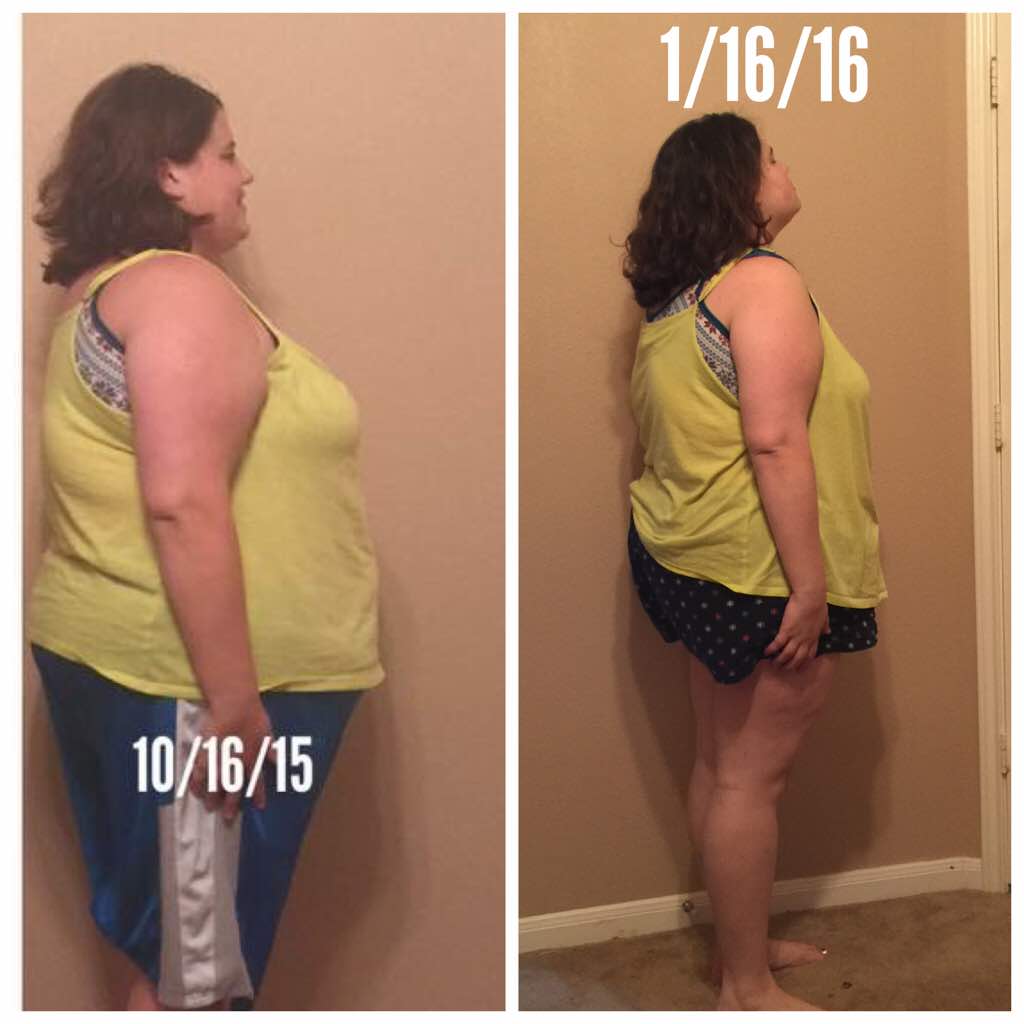
  11. I had a total meltdown before I started this whole thing. I'm now four months post op and love my sleeve. My only regret is that I didn't do it sooner. It's scary and there are some downfalls but it's so worth it.
  12. I would say if there's any way to avoid it avoid it. At a month out I was on soft foods. Chips of any sort make me nervous even if the are soft.
  13. I'm four months out and down 70 lbs.
Account

Navigation

Search

Search

Configure browser push notifications

Chrome (Android)
  1. Tap the lock icon next to the address bar.
  2. Tap Permissions → Notifications.
  3. Adjust your preference.
Chrome (Desktop)
  1. Click the padlock icon in the address bar.
  2. Select Site settings.
  3. Find Notifications and adjust your preference.