evette305
Pre Op
-
Joined
-
Last visited
Everything posted by evette305
-
Awesome ladies.
-
I will have to try Quest
-
@kmorri. I'm at the excitement phase and OMG. Lol
-
I'm folding clothes today and it just hit me that next I will have my surgery and will have to shop for new clothes in a few months.
-
I have to be there at 9
-
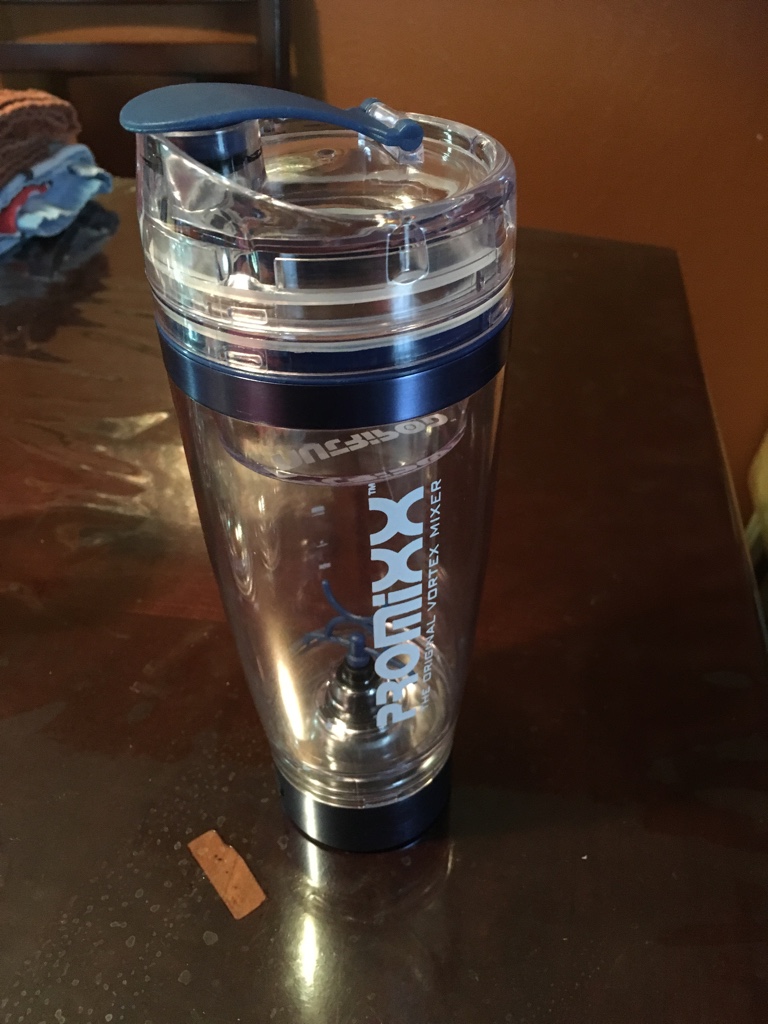
So the picture I posted. I purchased this rechargeable blender for your shakes. You can travel with it to mix your protein shake at work or home
-
@cheerios45. What part of Florida
-
I have no pre-op diet. I thought I did but found out today. Just liquid diet the day before surgery
-
What are some of things you all have brought so far to prepare for after the surgery.
-
It took me 3 months to get to this point
-
OMG I'm on May 17th. I'm in Florida
-
My insurance covers 80%.
-
Hello I have Atena choice Pos II. I chose the 90 day criteria. I met the Nut, I'm practicing in weight watchers and seeing my PCP for the next 3 months. So it appear I on the right track of getting approved
-
I have Atena Choice apps II and they have two option the 6 month and 90 days. But still check your policy