milda_vsg
Gastric Sleeve Patients
-
Joined
-
Last visited
Everything posted by milda_vsg
-
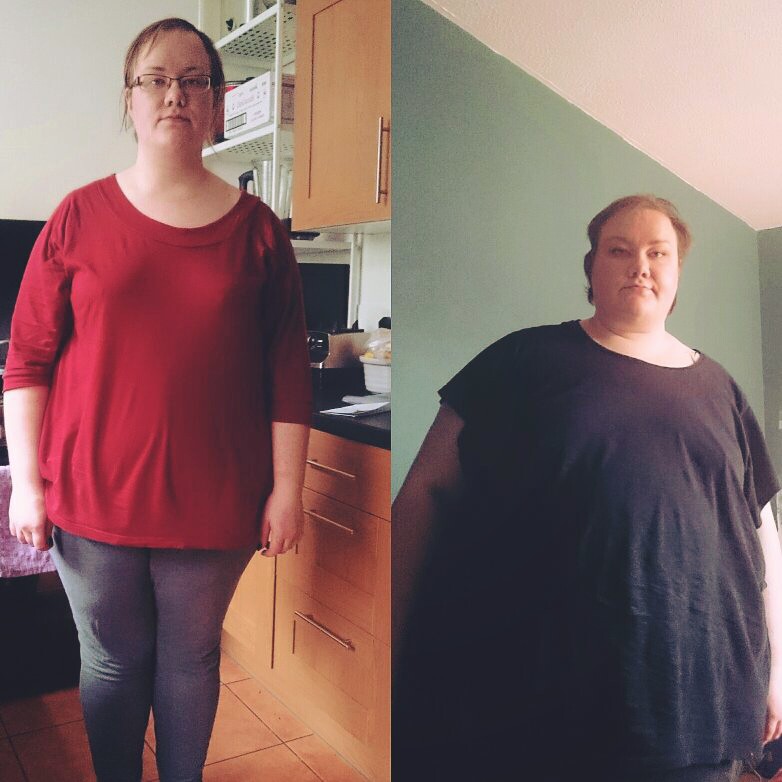
Aaaah, 8 months down the line I can finally see a difference! I look rough as balls due to me still getting over a cold, but that ain't stopping me from enjoying my 'before' and 'during'! 118lbs lost from my highest, 89 since the day of surgery. Best way to start the new year in a long time!
-
milda_vsg, a weight loss surgery photo album by milda_vsg on BariatricPal. 2 photos in Before and After Gastric Sleeve Photos.
-
Before, a weight loss surgery photo album by milda_vsg on BariatricPal. 1 photo in Member Photo Gallery.
-
So this person followed me on Instagram. I found it quite funny, thought people in this forum would appreciate it.
-
Having the surgery is a major decision to have in the first place. If we could lose weight on our own, we would. Hell, not like we didn't try. I distinctly remember telling my mum when I was around 17, that I will 'someday lose the weight'. And I tried. But all said and done, it is now 10 years later and I'm at my heaviest. So yeah. Like KristenVSG2014, I want to make sure I enjoy my 30s, and hopefully I'm gonna get this surgery done before or around my 28th in April. Fingers crossed.