Skip to content
View in the app

A better way to browse. Learn more.

BariatricPal

A full-screen app on your home screen with push notifications, badges and more.

To install this app on iOS and iPadOS
  1. Tap the Share icon in Safari
  2. Scroll the menu and tap Add to Home Screen.
  3. Tap Add in the top-right corner.
To install this app on Android
  1. Tap the 3-dot menu (⋮) in the top-right corner of the browser.
  2. Tap Add to Home screen or Install app.
  3. Confirm by tapping Install.
  • Appearance

Join BariatricPal free

  • Ask your own questions
  • Reply and follow topics
  • Message other members
  • No cost, no spam

sam3789

Gastric Sleeve Patients
  • Joined

  • Last visited

  1. Had mine done yesterday, doing ok, trying to walk and sip as much as possible, ready to go home
  2. That's awesome snoopyt2, Dr Macik out of Northside is doing mine
  3.    snoopyt2 reacted to a post in a topic: May
  4. Hi, first post here, getting mine on May 29th in Atlanta, GA, really excited too. Pretty much listening to video blogs of people who have had it done all day while I am working. Happy to see people who are getting it done around the same time as me, will be great if we can keep each other updated on how things are going.
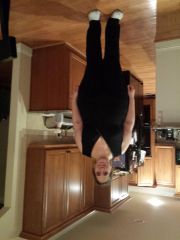
  5. Images added to a gallery album owned by sam3789 in Before and After Gastric Sleeve Photos
    sam3789, a weight loss surgery photo album by sam3789 on BariatricPal. 1 photo in Before and After Gastric Sleeve Photos.

Account

Navigation

Search

Search

Configure browser push notifications

Chrome (Android)
  1. Tap the lock icon next to the address bar.
  2. Tap Permissions → Notifications.
  3. Adjust your preference.
Chrome (Desktop)
  1. Click the padlock icon in the address bar.
  2. Select Site settings.
  3. Find Notifications and adjust your preference.