




Skip to content
View in the app

A better way to browse. Learn more.

BariatricPal

A full-screen app on your home screen with push notifications, badges and more.

To install this app on iOS and iPadOS
  1. Tap the Share icon in Safari
  2. Scroll the menu and tap Add to Home Screen.
  3. Tap Add in the top-right corner.
To install this app on Android
  1. Tap the 3-dot menu (⋮) in the top-right corner of the browser.
  2. Tap Add to Home screen or Install app.
  3. Confirm by tapping Install.
  • Appearance

Join BariatricPal free

  • Ask your own questions
  • Reply and follow topics
  • Message other members
  • No cost, no spam

HollyChick

Gastric Bypass Patients
  • Joined

  • Last visited

Everything posted by HollyChick

  1. 8 days post op. I feel SO good. No sickness. Started soft food and am loving it! It's wierd though because I expected a lot of discomfort and being sick. Anyone else feel this way?
  2. Im feeling good. Not gonna lie.. it was rough for a few hours but I'm up, pain is minimal, and I'm really optimistic!
  3. Today is the day! Surgery at 10am!
  4. Thank you! Feeling much better after some nasacort. Hoping I'm clear for Tuesday
  5. Mine is Tuesday and I have felt the same. Prayers for the decision you feel is right for you!
  6. I'm having bypass on Tuesday and my allergies are killing me! Anyone know if this will delay me?
  7. Surgery is April 21st! I'm doing liquids this week and it is KILLER. The urge to eat something is awful. But I'm taking it hour by hour and just reminding myself of what the goal is Hope all April surgeries that happened went well... all future surgeries.. good luck!
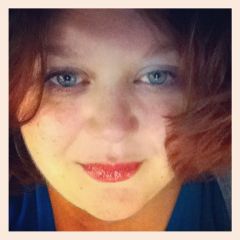
  8. Images added to a gallery album owned by HollyChick in Before and After Gastric Bypass Photos
    Holly.Chick, a weight loss surgery photo album by HollyChick on BariatricPal. 1 photo in Before and After Gastric Bypass Photos.
Account

Navigation

Search

Search

Configure browser push notifications

Chrome (Android)
  1. Tap the lock icon next to the address bar.
  2. Tap Permissions → Notifications.
  3. Adjust your preference.
Chrome (Desktop)
  1. Click the padlock icon in the address bar.
  2. Select Site settings.
  3. Find Notifications and adjust your preference.