




Skip to content
View in the app

A better way to browse. Learn more.

BariatricPal

A full-screen app on your home screen with push notifications, badges and more.

To install this app on iOS and iPadOS
  1. Tap the Share icon in Safari
  2. Scroll the menu and tap Add to Home Screen.
  3. Tap Add in the top-right corner.
To install this app on Android
  1. Tap the 3-dot menu (⋮) in the top-right corner of the browser.
  2. Tap Add to Home screen or Install app.
  3. Confirm by tapping Install.
  • Appearance

Join BariatricPal free

  • Ask your own questions
  • Reply and follow topics
  • Message other members
  • No cost, no spam

principalmann

Pre Op
  • Joined

  • Last visited

Everything posted by principalmann

  1. Thx friends! To God Be The Glory!
  2. Thx! 60 mins treadmill. 3.0 incline. Speed varies 4.8 to 5.3. Lifting to tone. No heavy lifting.
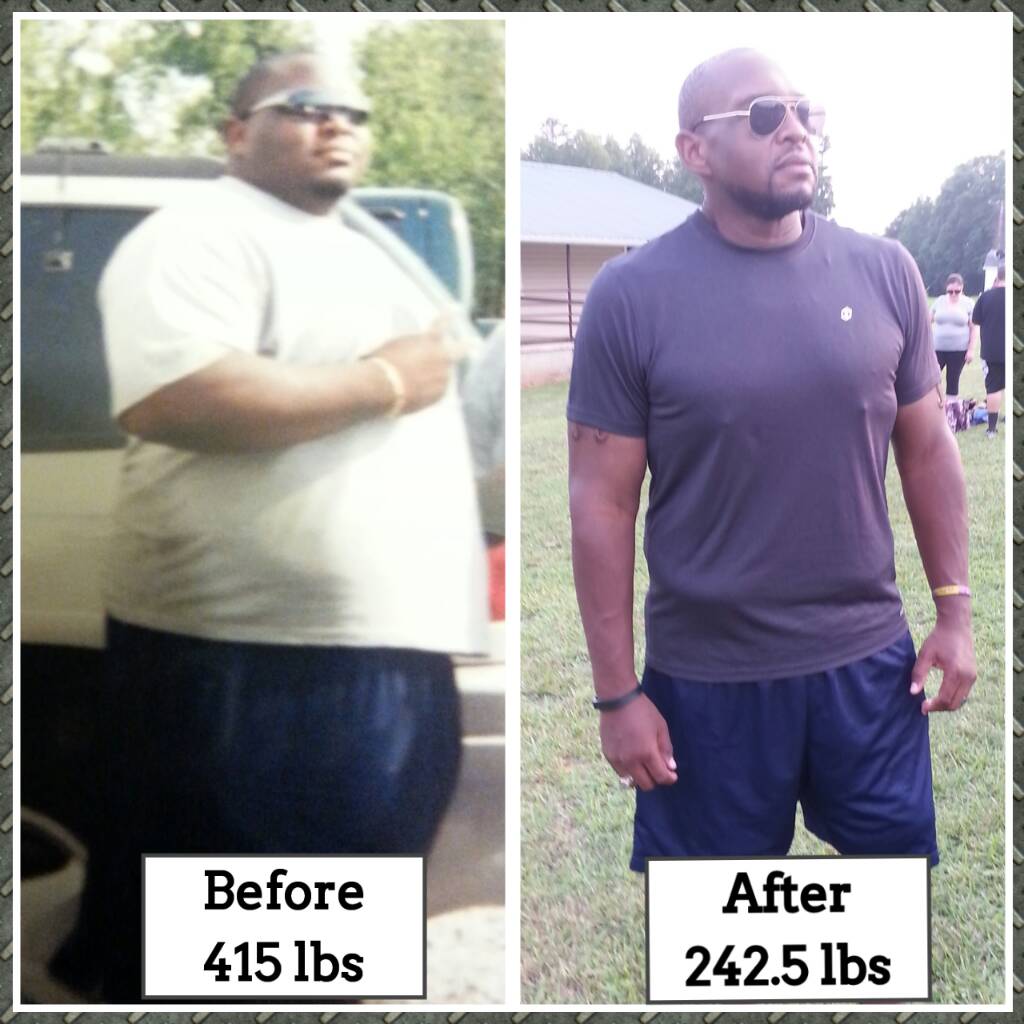
  3. Friends, I hope that you all are doing well. I had my surgery on March 30th 2015. I am currently at 242 lbs!!!!! You can see the before and after pic. God is GOOD!!!!!
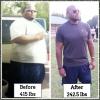
  4. Just wanted y'all to know that the surgery went well yesterday. Getting over the soreness and gas.
  5. Good luck! I'm scheduled for 9:15 in the morning! Prayers for everyone!
  6. Tea is ok....artificial sweetner is mandatory.
  7. Last day of protein shakes!!! Thank God!!! Monday is surgery date. Excited and nervous!
  8. I am only allowed sugar free jello, V8, powerade zero, & veggie broth.
  9. Yes!!! It has been rough, but adjusting now. How's it going with you?
  10. Hello friends! I am having my procedure in one week. I'm excited!
Account

Navigation

Search

Search

Configure browser push notifications

Chrome (Android)
  1. Tap the lock icon next to the address bar.
  2. Tap Permissions → Notifications.
  3. Adjust your preference.
Chrome (Desktop)
  1. Click the padlock icon in the address bar.
  2. Select Site settings.
  3. Find Notifications and adjust your preference.