





Skip to content
View in the app

A better way to browse. Learn more.

BariatricPal

A full-screen app on your home screen with push notifications, badges and more.

To install this app on iOS and iPadOS
  1. Tap the Share icon in Safari
  2. Scroll the menu and tap Add to Home Screen.
  3. Tap Add in the top-right corner.
To install this app on Android
  1. Tap the 3-dot menu (⋮) in the top-right corner of the browser.
  2. Tap Add to Home screen or Install app.
  3. Confirm by tapping Install.
  • Appearance

Join BariatricPal free

  • Ask your own questions
  • Reply and follow topics
  • Message other members
  • No cost, no spam

VIckyLSteele

Gastric Sleeve Patients
  • Joined

  • Last visited

  1. Sleeve Surgery September 22, 2014. I am on fluids longer due to swallowing complications. This is where I'm having the most trouble. I had a Hiatal Hernia that they discovered and repaired at the same time as my sleeve surgery. The doctor senses that is what causes my struggles with swallowing and it might be too tight. I might go back next week for another swallowing test. It is very painful to swallow even with just a little Water. I try to eat some fat free sugar free pudding, apple sauce, Jello, and Popsicles and it takes so long to finish. I went for my follow up last Thursday and ended up getting 2 big bags of IV since I was dehydrated. I am still struggling and am hoping that the hernia is the reason and needs time to heal. I need more liquid, purred food ideas that has good amounts of Protein other than
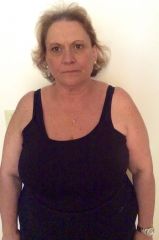
  2. Images added to a gallery album owned by VIckyLSteele in Before and After Gastric Sleeve Photos
    VIckyLSteele, a weight loss surgery photo album by VIckyLSteele on BariatricPal. 1 photo in Before and After Gastric Sleeve Photos.

Account

Navigation

Search

Search

Configure browser push notifications

Chrome (Android)
  1. Tap the lock icon next to the address bar.
  2. Tap Permissions → Notifications.
  3. Adjust your preference.
Chrome (Desktop)
  1. Click the padlock icon in the address bar.
  2. Select Site settings.
  3. Find Notifications and adjust your preference.