triumph
Gastric Sleeve Patients
-
Joined
-
Last visited
-
-
-
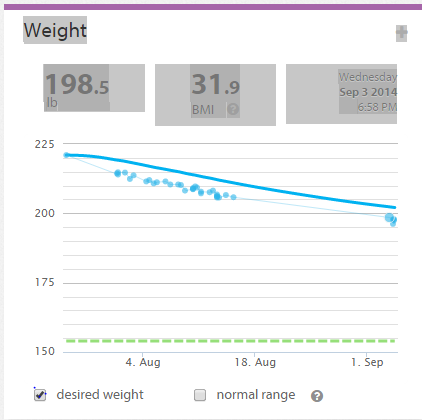
Same here - no pain at all (and no gain so far!) right from waking up. No nausea, vomiting, constipation, diarrhea.. even the incisions didn't do much more than itch - I was moving around fine, and went home the next day. I'm 5 weeks out, but it's working. I asked my surgeon the same question as you (is this normail?) - he just said it was the luck of the draw. Dietician said the same thing. No one really knows why some people have a hard time, and others don't. Congrats on the surgery and the pain-free thing so far! My biggest headache at the moment is making sure I don't eat anything after 9pm (my old bad habit). Other than that - it's been a lot easier than I thought. Good luck on your journey!
-
-
-
-
-
-
-
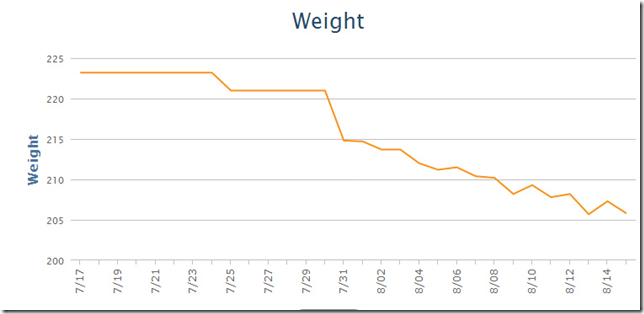
I was also marginal on BMI (34-35 or so). Surgery on 7/25/2014. I've been very happy with the results so far - even though it's only 3 weeks. I've added a chart showing the weight loss (from a Withings internet scale). Haven't been hungry at all, been a bit careless on the diet (tut!), but no pain or nausea..I think it's been a good choice. We'll see how it goes when I have to start travelling again...so good to hear about other people's journeys here.