



Skip to content
View in the app

A better way to browse. Learn more.

BariatricPal

A full-screen app on your home screen with push notifications, badges and more.

To install this app on iOS and iPadOS
  1. Tap the Share icon in Safari
  2. Scroll the menu and tap Add to Home Screen.
  3. Tap Add in the top-right corner.
To install this app on Android
  1. Tap the 3-dot menu (⋮) in the top-right corner of the browser.
  2. Tap Add to Home screen or Install app.
  3. Confirm by tapping Install.

Katie8907

Gastric Sleeve Patients
  • Joined

  • Last visited

Everything posted by Katie8907

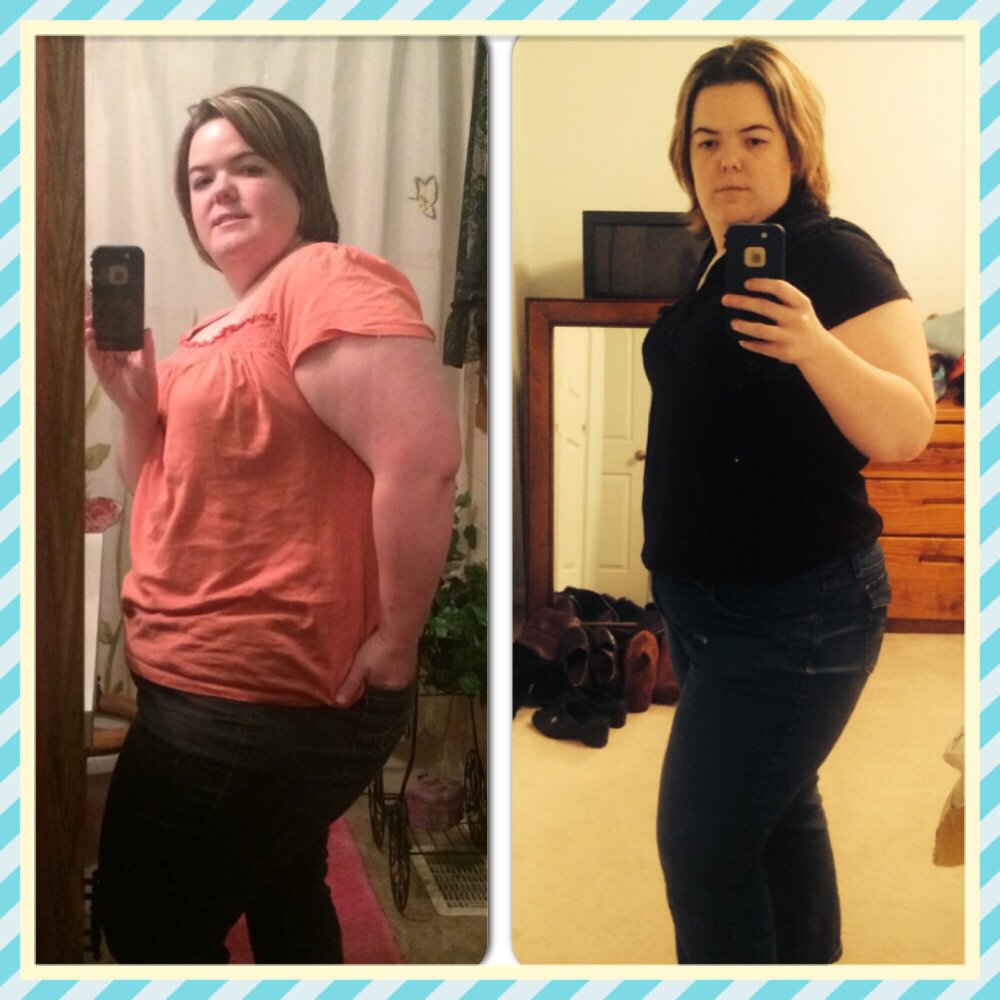
  1. First picture is pre op, second is 3 months post op!!! Half way to my goal!!
  2. @Anandamae.... I had to change my mindset on the surgery, I felt like it was cheating. However, now after doing all my research and walking the path of becoming a sleever, my thoughts have for sure changed! There is a lot of emotional, psychological, and physical stuff that goes into this. I have been approved by ins and am waiting to be scheduled for my surgery:-) thank you for sharing your experience, it has been an inspiration:-)(-:
Trending Products

PatchAid Vitamin Patches

Account

Navigation

Search

Search

Configure browser push notifications

Chrome (Android)
  1. Tap the lock icon next to the address bar.
  2. Tap Permissions → Notifications.
  3. Adjust your preference.
Chrome (Desktop)
  1. Click the padlock icon in the address bar.
  2. Select Site settings.
  3. Find Notifications and adjust your preference.