Skip to content
View in the app

A better way to browse. Learn more.

BariatricPal

A full-screen app on your home screen with push notifications, badges and more.

To install this app on iOS and iPadOS
  1. Tap the Share icon in Safari
  2. Scroll the menu and tap Add to Home Screen.
  3. Tap Add in the top-right corner.
To install this app on Android
  1. Tap the 3-dot menu (⋮) in the top-right corner of the browser.
  2. Tap Add to Home screen or Install app.
  3. Confirm by tapping Install.
  • Appearance

Join BariatricPal free

  • Ask your own questions
  • Reply and follow topics
  • Message other members
  • No cost, no spam

Jacmom

Gastric Sleeve Patients
  • Joined

  • Last visited

  1. Images added to a gallery album owned by Jacmom in Member Photo Gallery
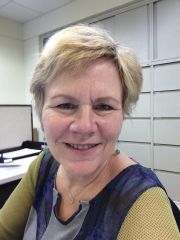
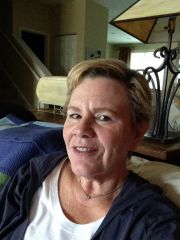
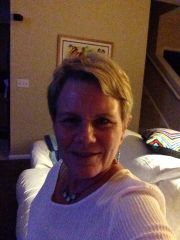
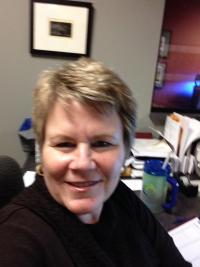
    before and after, a weight loss surgery photo album by Jacmom on BariatricPal. 6 photos in Member Photo Gallery.
  2.    Macsgrandma03 reacted to a post in a topic: JULY 2014 SLEEVERS GROUP
  3.    discmin reacted to a post in a topic: JULY 2014 SLEEVERS GROUP
  4. I was sleeved on 6/9. I've been struggling this last week also. The scale isn't moving and my eating has been completely on track. I know I'm not exercising as I should. But given the low food intake and high Water intake, could my lack of exercise really be preventing the weight loss? I'm feeling discouraged and frustrated.
  5. Hello Everyone, I just stumbled upon your group. I had my surgery on 6/9. Will you still let me chat with you? :-) I'm on the same journey as you, just a few short weeks ahead.

Account

Navigation

Search

Search

Configure browser push notifications

Chrome (Android)
  1. Tap the lock icon next to the address bar.
  2. Tap Permissions → Notifications.
  3. Adjust your preference.
Chrome (Desktop)
  1. Click the padlock icon in the address bar.
  2. Select Site settings.
  3. Find Notifications and adjust your preference.