Skip to content
View in the app

A better way to browse. Learn more.

BariatricPal

A full-screen app on your home screen with push notifications, badges and more.

To install this app on iOS and iPadOS
  1. Tap the Share icon in Safari
  2. Scroll the menu and tap Add to Home Screen.
  3. Tap Add in the top-right corner.
To install this app on Android
  1. Tap the 3-dot menu (⋮) in the top-right corner of the browser.
  2. Tap Add to Home screen or Install app.
  3. Confirm by tapping Install.
  • Appearance

Join BariatricPal free

  • Ask your own questions
  • Reply and follow topics
  • Message other members
  • No cost, no spam

QualTech

Gastric Sleeve Patients
  • Joined

  • Last visited

  1. PEPPERMINT TEA!! This works!!! It helps BM!!
  2.    Jeannette Anndaisia reacted to a post in a topic: June Gastric Sleevers Out there
  3. Sleeved on June 5th. Had no problems, except an occasional bout with constipation. Getting Protein, and struggling to get the Water in. Looking forward to Stage 5. Surgery weight was 326, and my current weight is 287. I am happy with the results. I do not weigh myself daily, so I don't know if I have stalled or not. I believe if you do what you're supposed to, then the weight will do what its supposed to. Hang in there peeps, and we will all live a longer and healthier life!
  4. Crackers? Really? I'm 8 weeks out as well, but I thought I had to wait until stage 5 for crackers. That is mid to late August. I would like to have a cracker, for sure. I'm down about 39lbs, and am not at all disappointed. I agree with your philosophy, Carlotta1. That is how I see it.
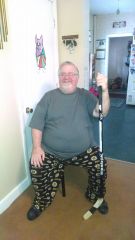
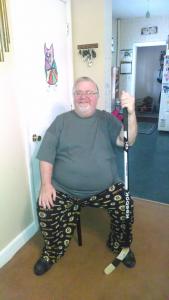
  5. Images added to a gallery album owned by QualTech in Before and After Gastric Sleeve Photos
    QualTech, a weight loss surgery photo album by QualTech on BariatricPal. 1 photo in Before and After Gastric Sleeve Photos.
Account

Navigation

Search

Search

Configure browser push notifications

Chrome (Android)
  1. Tap the lock icon next to the address bar.
  2. Tap Permissions → Notifications.
  3. Adjust your preference.
Chrome (Desktop)
  1. Click the padlock icon in the address bar.
  2. Select Site settings.
  3. Find Notifications and adjust your preference.