Liberianne_Gal
Gastric Sleeve Patients
-
Joined
-
Last visited
Everything posted by Liberianne_Gal
-
Hi Everyone! My name is Katarina Stats: Location: Minneapolis, Minnesota Surgery Date: September 2nd 2014; (Pre-Op Still) Height: 5'7 1/2 HW: 325 CW/SW: 318 GW: 180 I'd love to connect with anyone who wants to!
-
I'd be lying if I said I didn't think about the same things! This is something I have been working toward since the beginning of last year and I've been excited all along. Now that I've finally met the requirements and have received approval, I'm nervous as hell and I'm questioning if I'm making the right decision. I've prayed so much! The loose skin and hair loss, I've accepted. I just want to come out of this with no major complications and I just want to be successful! You are the day after me! I will be thinking about you! Anytime my fears get the best of me, I just think to myself why I started in the first place. The benefits of this surgery outweigh all the negatives and fears for sure! BTW, my boyfriend is from Boston, Dorchester to be exact. He's moved to MN with me, but I should be in the area for Thanksgiving! I hope his family doesn't get offended I can't eat a much!
-
Good luck, and yes, please keep us posted!
-
Hi Karen! Can you tell us a little about the 6 month program you've been on? I also can't wait to see how we all do!
-
Thank you love! I just sent you a personal message and I wish you the same! Crazy how this is becoming so real!
-
I've been excited for so long because I've been working toward this since the beginning of last year! When I received approval the beginning of July, it finally hit me that this is real, and it's going to be difficult, but I'm ready for this. I've spent so many months preparing and the fact that I'm nervous just reminds me that this is not a quick fix and this is by no means going to be easy! I've also watched my fair share of videos, read tips, forums, etc. Everyone who has gone through this says they regret NOTHING and I know I will be feeling the same way through this journey! How are you feeling? Sorry if I said too much, just being honest!
-
Hey Everyone! My name is Katarina, I'm 26 and I live in Minnesota! Just met with my surgeon today to schedule my VSG! I chose Tuesday, September 2nd, the day after Labor Day! My pre-op liquid diet starts Saturday, August 23rd. Wondering if anyone else is having surgery on or around this date? I would LOVE to have a surgery buddy! Someone who is going through what I am, when I am, so we can help each other out! Also, if anyone has an Instagram, my user name is liberianne_gal. I follow tons of amazing men and women who have went through Weight Loss Surgery and have fantastic stories! Can't wait to create my own! Hope to talk to some of you soon! Katarina
-
Id be interested! Katarina.angelique@gmail.com
-
Just requested you! You look fn amazing! Liberianne_gal
-
Just requested you! You look fn amazing! Liberianne_gal
-
Just sent you a request to follow! Liberianne_gal
-
Hey Leah! Just requested to follow you on IG! Liberianne_gal
-
Hey everyone! 26 and pre op here! Gonna get sleeved probably toward the end of the year; October\November time frame! Weight has always been a constant battle and I am so ready to be on the other side of this journey. I wish the date would come faster but I have to go through so many steps for insurance purposes! My IG is liberianne_gal! Comment a pic so I know to follow back! So excited to see everyone's progress! It's so encouraging and inspiring! ????❤️
-
The final straw for me was looking through pictures of the many places I've traveled in this world, all the beautiful pictures I've taken and me not being in a single picture because I was too ashamed to have someone take a picture of me, my body. Would they get the angles right? I didn't want anyone to see me, I didn't even want to see myself. Some of the other things: I can no longer fit in one airline seat and always need a seatbelt extender which can be embarrassing depending on the company you find yourself with. I have not been and will not go to an amusement park because I know I cannot fit on the rides. I can no longer fit in movie theatre seats. I can't breathe when I sit in a booth at any restaurant. I am ashamed to take full body pictures with my boyfriend; I'm also ashamed to meet his family; I just don't want them to think he can "do better". In the case I do get engaged and married within the next few years, I want to make sure I look my best. I guess there just comes a time in your life when you are tired of trying every diet under the sun. I am ready to get past my weight issues and be on the other side of the battle. Cheers to new beginnings!
-
I've perfected the art of the head shot; also know my angles. I can't wait for the day when I don't have to spend hours getting the right picture. Just a few of my best, mind you, I have never been thin and these pictures are not photoshopped.
-
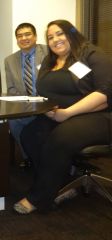
I've always avoided full body pictures; especially of me sitting down. Looking through these pictures I feel disgusted with myself and completely out of control. This is why I am on this journey, to gain back control of my life and be a happier me. #NoFilter #RawReal&Uncut