Jaime Nicole
Gastric Sleeve Patients
-
Joined
-
Last visited
-
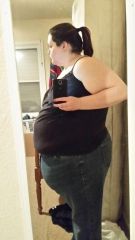
Me right now., a weight loss surgery photo album by Jaime Nicole on BariatricPal. 7 photos in Member Photo Gallery.
-
Yes, water aerobics is awesome. I just started it this week and love it. It's been kicking my butt but it's well worth it. Everyone in the class is really nice and supportive of one another. I figured starting this class along with my other workouts will really help with the loose skin. Get a jump start on it. I've never been so motivated about working out before but the water aerobics and swimming 66 laps is so much better on my back and joints right now. Plus you lose a lot more weight in the water then on the treadmill or other equipment. I have a lot of weight to lose. I've lost 201 on my own but I need the help and I know I will get it with this surgery.
-
My question to the ones that have had the surgery already is.... How often do you workout and is it easy for you to lose the weight quicker after having the surgery compared to doing it on your own? I've been watching youtube videos and no one mentions working out just eating better and then the ups and downs after the surgery. I know there will be ups and downs. I eat healthy now and I workout 5-6 times a week so I'm used to it for after the surgery.