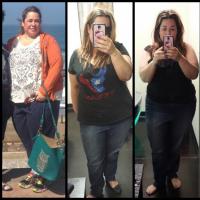
mspink9
Pre Op
-
Joined
-
Last visited
Everything posted by mspink9
-
I live in the Woodlands
-
I grew up in Lake Jackson, graduated from Brazoswood in 1991
-
CW: 230 GW: 220
-
I love Shrinking beauty by Dermadoctor. It's s forming, toning, sculpting lotion.
-
I live in the Woodlands. Sleeved on 3/17/14.
-
Did you ever start this? I'd b interested. I was sleeved on 3/17/14
-
2 weeks due to my BMI being high. I'm doing pretty good, a little nausea but nothing serve. No pain, little soreness to incision sites. Start full liquids tomorrow. Down 8 since surgery 3/17/14. Total 20lbs
-
I struggled also with preoperative diet but glad I stuck with because that was one less incision he had to make. I had my surgery with Dr.Garcia-Tijuana a week ago
-
I am at Florence hospital in Tijuana right now awaiting surgery with Dr Garcia, super excited and nervous
-
Boarded the plane from Houston to San Diego, surgery tomorrow with Dr.Garcia. Super excited, Super nervous!!!!
-
Mine is 3/17 with Dr.Garcia. Any tips/advice??
-
Mine is 3/17 with Dr.Garcia. Any tips/advice??
-
Mine is 3/17 with Dr.Garcia. Any tips/advice??
-
Mine is 3/17 with Dr.Garcia. Any tips/advice??