BiggerInTexas
Gastric Sleeve Patients
-
Joined
-
Last visited
-
-
-
-
-
-
-
-
-
You look amazing!
-
-
Thank you! I set it to record!
-
-
-
I get my sleeve on Wednesday. Your post helped me feel like I can do it! Thanks!
-
-
-
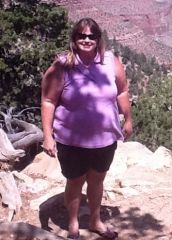
BiggerInTexas, a weight loss surgery photo album by BiggerInTexas on BariatricPal. 1 photo in Before and After Gastric Sleeve Photos.
-
What a difference! You are kickin some tail! Good for you!!
-
-
Go girl!!!!
-
Thank you Mooncat! Sounds like we are very similar. I already take Nexium so I guess that won't change! My doc thinks bypass is the way to go, but he said it is my choice and I choose the sleeve. My surgery is on the 19th and I'm ready. The hernia has become quite painful and I am SO ready to have that fixed. It sounds like you're doing well and that's encouraging to me!
-
You are an inspiration!
-
Hello there! I was wandering if anyone has been diagnosed with Barrett's Esophagus and, if so, what impact it had on your choice of procedures. I have GERD and a hiatal hernia and during a scope prior to gallbladder surgery, it was discovered I also had Barrett's Esophagus (a pre-malignant condition where the cells of the esophagus begin to change and become more like the cells in your stomach). I have chosen to have the sleeve even though the bypass is still considered the preferable treatment when you have Barrett's. I was just wandering if anyone has been faced with Barrett's and what, if any, information you might be willing to share about your experience. I feel alone in this regard but I know that can't possibly be the case. I'm fairly new to this site, but I have learned so much from everyone already! Anything you can add would be greatly appreciated!
-
You look wonderful! I love the pictures. I'm getting sleeved on the 19th and when I see pictures like yours, I get more determined than ever! Keep up the great work!
-
-
You look great!
-
Way to go!!! I am so excited about the NSVs in my future. My surgery is on 3/19. Keep up the good work!
-
Those pictures are so inspiring! My story begins in 13 days. This is what I needed to see. I'm heading to your blog now. Congratulations!!
-
I am scheduled for 3/19. I'm really excited and a little scared!!