jlosmile
Gastric Sleeve Patients
-
Joined
-
Last visited
Everything posted by jlosmile
-
Well I think you look absolutely amazing and the hard work definitely shows! Thank you for being an inspiration for me and others!
-
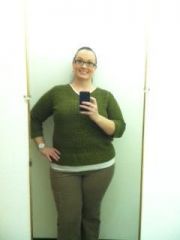
My continuing work in progress!
-
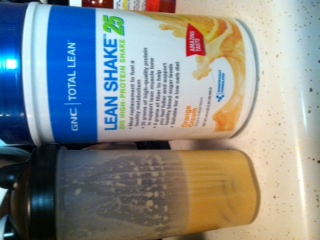
There are varying opinions on this subject. Nutritionists will tell you different things based on their research, schooling and doctor's orders of what to tell you. The National Institute of Health states it is a myth and there is no way to 100% state the absolute amount of Protein absorbed at one time. The absorption rate of all Vitamins, minerals and nutrients (both macro and micro) varies among each individual. My best suggestion is to do what works for you as long as your labs are coming back within normal ranges for you. Too often we compare ourselves to one another but everyone's journey is different since our bodies are so different. Always adhere to your body's signals and lab results! If in doubt, follow your doctor's suggestions. On a side note, I went to GNC yesterday and was able to taste several samples of Protein shakes before purchasing both some ready made shakes and some Protein Powder that tastes great mixed in water! You may check to see if your local GNC has samples available. I used to love chocolate protein shakes but can not stomach them post surgery. It is funny how much changes in our bodies after surgery!
-
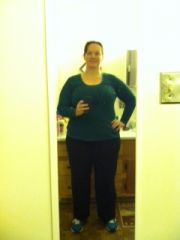
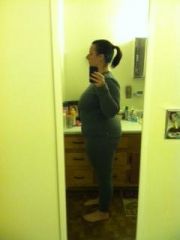
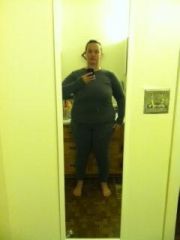
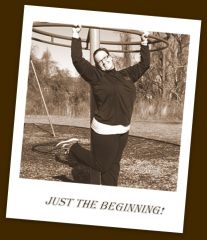
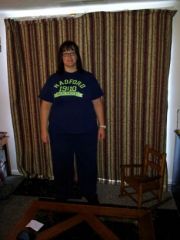
This album contains photos of me in different outfits as I transition through various sizes in my wardrobe. It should serve as a reminder of my progress.
-
So glad to know I'm not the only one! Pre-op I could sweat so easily because I would get hot really quick but post-op, even immediately after the surgery I was freezing. I will note that my blood pressure dropped significantly during surgery and continues to be much lower than it was prior so I'm thinking that is what has caused it for me? Who knows!
-
Don't push yourself to eat. Chew thoroughly and take your time. At first, you will only be able to do a couple bites- that is normal. I'm 4 weeks post and able to do some solids but the portions are teeny and I make sure everything is chewed really well. If it helps to have a visual- your tummy now is about the length of a medium banana and only as wide as your thumb. It helps to understand the impact of chewing things up enough to fit in that little space and why we can only take in so much at a time. If you feel nauseous, you may have taken one bite too many. It is definitely a learning curve to understanding when our tummies have had enough now versus before. As far as the bms- you may want to consider a stool softener. My first one took 3 days post op but after that I've gone regularly every other day.
-
What was your meal?
-
Hi all! I was sleeved 12/18/13. I (honestly) totally cheated on the whole liquid only and pureed stages. However, I have not had anything that did not agree with my tummy. I guess I have a steel sleeve. Unfortunately, that also means my scale has not moved as quickly as others. The price to pay in order to not feel like I was starving constantly. (I have to chew something to feel like I've eaten.) I log everything on fatsecret.com and the NUT says I'm not getting enough calories. I average 600-800 a day but she wants me at 800-1200. I don't think there is a way to get all that in right now. I am able to hit 60 g protein regularly with chicken, fish, yogurt and protein shakes. I had a follow up appointment yesterday and was cleared to regular foods so I had a 1/4 of an apple this morning with my egg. For my usual snack of yogurt I added 1/3 cup of blueberries to it. I hope to get a few bites in of steamed veggies with lunch and dinner! But still with all that I'm under 800 kcal for the day. I'm not going to force anything. I already have fears that I stretched out my sleeve the first couple of weeks so I'm being extra cautious with portion sizes and reading my satiety signals while eating. I'm only down 18 lbs since surgery. Of which 11 were directly post surgery and then nothing until this week I lost another 7. Frustrated but I have no one to blame but me. I'm wondering if I should do a liquid fast for a couple days or if that would make me stall more? I noticed most people lost the majority of weight on liquids but I felt hungry constantly and was so irritable! I started drinking kefir and eating small bites of well chewed solids to calm things down. I will gladly take advice from anyone so let me know your thoughts! I feel hungry about 2 hours after eating- not head hunger but hole in your stomach- pain type hunger. Anyone else feel this?
-
Sorry I'm late to the party! Surgery date: December 18, 2013 Goal to lose: 119 lbs HW: 279 lbs SW: 254 lbs CW: 236.4 lbs Lost post-op: 17.6 lbs Lost total: 42.6 lbs I'd love to know the secrets to success for those who have lost so much more!
-
The only protein shakes I can stomach are Atkins Advantage shakes. I could drink other ones prior to surgery but not after. So far, the only one of Atkins I can not stomach is their double chocolate fudge flavor. However, french vanilla, cafe caramel and milk chocolate flavors are delicious! They give 15 g protein and only 1 g carbs. I use Flintstones chewable vitamins but have a hard time with my other meds because they are all liquid and taste disgusting. I can not wait until I'm given the ok to take pills again!
-
Lol. I think my body refuses to deplete itself of the fat it has been holding onto for years. (Maybe it is a sentimental thing?) In any case, as far as sleep patterns goes- I have had vivid crazy dreams and toss and turn constantly. This may also have to do with lack of energy. I've been hard pressed the last two weeks to stick to the Proteins and only carbs in the main items I'm eating- no additional. This is because my surgery was right before the holidays and being at my sister's house I was around the massive holiday cooking the entire time. I sampled foods I shouldn't have eaten but was really good about it. I was honest at my two week appointment about this. But we are talking 2 macaroni noodles of mac and cheese, one cubic inch of a sweet potato, and 3 green Beans of green bean casserole! I'm hardly stretching my sleeve! However, I still wage war with feeling hungry most of the time and have to elicit all out self control not to go on a ravenous eating rampage. (Not that I'd get far.) But seriously, I just am frustrated at the lack of loss and it is wearing on my self control not to see results with everything I've done to get this far.
-
I've done my best to stay motivated and positive following my vsg surgery. I'm following the guidelines of the NUT and staying between 500-800 kcal daily with at least 60 g protein. I make sure I get enough fluids in daily and exercise by walking on the treadmill. Some days I have over done it on the exercise and had zero energy the next day. I am not in any pain and am able to eat what I want as long as I chew it up really, really well. My meals consist of fish, chicken, turkey or eggs with a daily protein shake, greek yogurt and if I haven't gotten in my protein near the end of the day I'll have some cottage cheese. My question is: why am I not losing weight? Immediately following surgery in the hospital, I was down 10 lbs. Since then, I've only lost one more. Any ideas? I have a 4 week follow up this coming Wednesday and will ask then as well. I hope the fear I had pre-op that I may go through all of this for nothing is not coming true! Thanks for any support and enlightenment you can provide.