Queenfreak
Gastric Bypass Patients
-
Joined
-
Last visited
Everything posted by Queenfreak
-
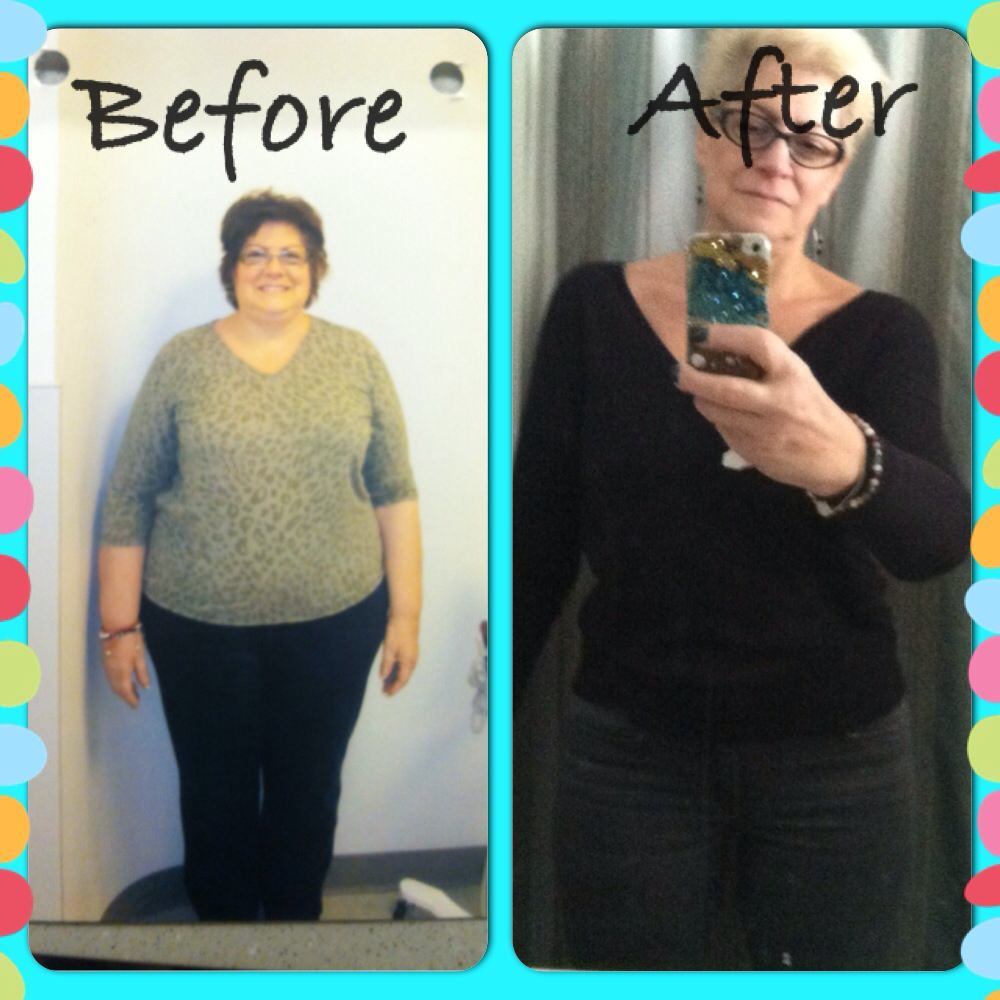
I didn't tell anyone but my BFF until after I saw my doctor and started the process. I said the same thing to everyone. I have decided to get bypass surgery and no one is going to talk me out if it. My husband said I will support you. My kids were upset and said noooooo. My Mom cried and my sister tried to talk me out of it up to the day of surgery. I went from 283 to 126. I have my life back. Best thing I ever did. Your BF is feeling insecure and is worried you will leave him once you are thin. He needs to know that's not you and if he doesn't support you now you will resent him when you do loose weight for not standing behind you. He can either go with it or stay behind. Good luck
-
I had same feelings. I looked at other people and thought they are so lucky. But it will pass I promise. And then you will be buying cute clothes you never dreamed you would be wearing. Better yet.....you won't know what your style is and start wearing clothes you like instead of clothes that just fit. What you are going through is so normal. Give it six months. You will feel much better. Hang in there
-
It's only the beginning! I couldn't wait to get under 2..... But don't be tempted to buy a lot of clothes. You will be even thinner in a few months Great job
-
Sooo true! I never had to buy sweaters or cuddle duds! And I wear my coat with a scarf no less lol!!!! Looking for gloves now that's the next thing I need.
-
I had a lot of food funerals and guess what. I was able to have s few bits of my favorites and still maintain my weight loss.
-
I can't have fried meatballs so now i bake them in the oven. Once they come out I blot them of any grease before I add them to my sauce. Yum
-
Near Valley Forge Pa.
-
The same here. Everyone keeps saying I'm too thin. But I'm so afraid of gaining it back and was told after two years you gain back between 10-20 pounds then level off. Is this true?
-
Yes! I used to be a 10 wide now I'm a medium with size 9 1/2 or 10 and boots fit my calls! Love the sound of the zipper going up....never gets old
-
Had stalls along the way sometimes for s month then boom 10 down be patient it's a journey
-
Happened to me also. It will pass promise!!!!!!
-
Everyday for the first six months I regretted it. I'm a year and a half out and would do it all over again. It's like having a baby. During labor you think never again but then you have another child because it's so worth it. People say I wish I did it sooner but you weren't at the mind set sooner. Enjoy how you look now.
-
Mine started coming out the first month so I made a drastic move and cut it super short and dyed it blond. Hey it's only hair. With this style I didn't have to wash it as much and didn't need to use heat to blow dry or curl. I also used Wen hair products. This seems to have helped alot
-
I look at all of them and say that would be me if I didn't have the will to move ahead in life. Penny loves her life the way it is. She lays in bed all day and everyone caters to her. She even makes dinner in bed! Her poor little boy. She even guilts him to feel sorry for her. The three of them are living in a bubble away from everyone. If the husband got out of the situation by going to work everyday, he would see he is not helping her. Penny has her husband and son under her control. And if she lives long enough she is going to turn the little boy into her enabler.
-
Omg! That is so true! Im also 5'6 and weigh 150. Everyone keeps saying im too thin slow down. Im so happy i get to eat and not gain weight but what happens after 2 years? You start gaining it back? Im so afraid to love to new me in fear it may go away
-
I had surgery Jan 2014 also! Im so afraid of gaining it back i cant enjoy how i lookI'm one year out and eat a lot of different things. Just in small amounts. There is still some things I can't have but it's a small price to pay.Yeap welcome to the club. I would go down to say 170 then up to 178 then down to 174 then up again. It is discouraging but I promise you it will happen. Good luck and keep us posted.Shoe! Not show ughMy head got smaller lol! My hats got big. Everything got smaller I'm now that hateful size 9 1/2 size show. You know, the size no one carrysMy rings hadn't fit me in years.so I had them made bigger so I could enjoy them. It was expensive but worth it.then I had my surgery now they are too big. I'm also waiting until I loose all my weight also.I felt that same way for about three months. I wanted to reverse it. I couldn't believe how hard it was, my mind wanted to scream. I cursed every pound I lost wondering why I couldn't lose it on my own. One night I was screaming and crying on my bed and my daughter stood over me and said snap out of it! She put a Xanax in my mouth and said swallow I was a mess. I felt like my head was on someone else's body and I didn't know how to take care of it. It was overwhelming. You figure it out....I promise you! It's been 8 months next week and I'm down almost 100 pounds. I'm seeing a difference and feeling better. I never thought I would say this but I would do it all over again to get to this point. You will get there too. Good Luck ❤️I love to drink Seltzer Water Bad???????I can't eat sandwiches.my fav Toast the bread dont toast it doesn't matter. I can have wraps but not the same. No tuna, salmon, or fried anything. Learned that the hard way.