Skip to content
View in the app

A better way to browse. Learn more.

BariatricPal

A full-screen app on your home screen with push notifications, badges and more.

To install this app on iOS and iPadOS
  1. Tap the Share icon in Safari
  2. Scroll the menu and tap Add to Home Screen.
  3. Tap Add in the top-right corner.
To install this app on Android
  1. Tap the 3-dot menu (⋮) in the top-right corner of the browser.
  2. Tap Add to Home screen or Install app.
  3. Confirm by tapping Install.
  • Appearance

Join BariatricPal free

  • Ask your own questions
  • Reply and follow topics
  • Message other members
  • No cost, no spam

kbgla

Gastric Bypass Patients
  • Joined

  • Last visited

  1.    vicki s reacted to a post in a topic: August Post Ops
  2. The previous doctor used a less expensive needle for fills. When it would hit the back of the port it would curl then making it like a crochet needle. It would damage the port when removed. The only way I would loose weight was when it was filled so tight that I couldn't eat or drinking anything. Had severe heartburn.
  3. Oops I forgot Vicki.
  4. Hi Kelly and kpardisek. I was scared also so that's why I did lapband. Was going to do the sleeve for the revision but the dietician I was working with talked to me about gbp. Boy am I glad we talked, best decision.
  5. Hi my name is Kim. Had revision surgery band to gastric on August 16, 2013. Feeling GREAT!
  6. Hi! I had revision surgery band to gastric on August 16, 2013. Everything is going well! Just wish I would of had gastric to begin with. Good luck everyone.
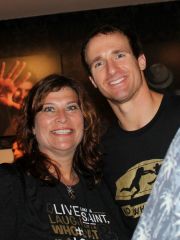
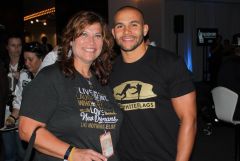
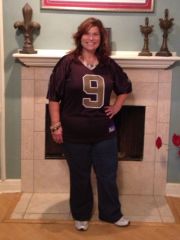
  7. Images added to a gallery album owned by kbgla in Member Photo Gallery
    Various, a weight loss surgery photo album by kbgla on BariatricPal. 3 photos in Member Photo Gallery.
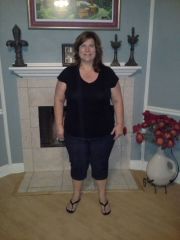
  8. Images added to a gallery album owned by kbgla in Member Photo Gallery
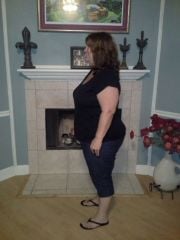
    Before, a weight loss surgery photo album by kbgla on BariatricPal. 2 photos in Member Photo Gallery.
  9. Dr. Richardson did my gbp on Aug 16th. Great experience.

Account

Navigation

Search

Search

Configure browser push notifications

Chrome (Android)
  1. Tap the lock icon next to the address bar.
  2. Tap Permissions → Notifications.
  3. Adjust your preference.
Chrome (Desktop)
  1. Click the padlock icon in the address bar.
  2. Select Site settings.
  3. Find Notifications and adjust your preference.