Skip to content
View in the app

A better way to browse. Learn more.

BariatricPal

A full-screen app on your home screen with push notifications, badges and more.

To install this app on iOS and iPadOS
  1. Tap the Share icon in Safari
  2. Scroll the menu and tap Add to Home Screen.
  3. Tap Add in the top-right corner.
To install this app on Android
  1. Tap the 3-dot menu (⋮) in the top-right corner of the browser.
  2. Tap Add to Home screen or Install app.
  3. Confirm by tapping Install.
  • Appearance

Join BariatricPal free

  • Ask your own questions
  • Reply and follow topics
  • Message other members
  • No cost, no spam

love_delgado

Gastric Bypass Patients
  • Joined

  • Last visited

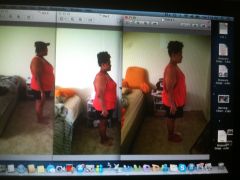
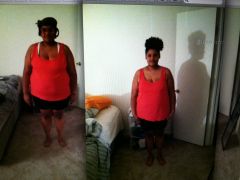
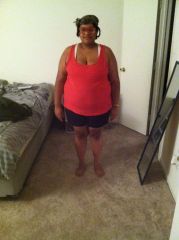
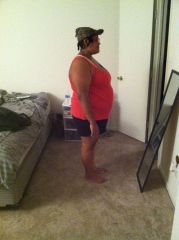
  1. Images added to a gallery album owned by love_delgado in Member Photo Gallery
    Before Surgery, a weight loss surgery photo album by love_delgado on BariatricPal. 4 photos in Member Photo Gallery.
  2.    xiomara8868 reacted to a post in a topic: 3 months post op :)
  3. You look great!!!!! I'm glad everything is going sooooo good!!!!
  4. Sorry for the late post....still learning lol. I'm 8 days post op now and doing wonderful. The worse day was the second day but other than that I'm doing fantastic and loving this decision .
  5.    xiomara8868 reacted to a post in a topic: 40 pounds less since August 13 :)
  6. Great!!!!!!! I'm glad the scale is moving in the right direction it feels good!!!!!! I'm down 3.4 pounds as of yesterday morning!!!! Just a few more days and it's show time!!!!! Can't wait
  7. Going great....i am determined as well. I'm enjoying starting my new life!!!!!
  8. My surgery is October 2nd and I had a lot of crab legs and shrimp. It was so good
  9. Wow that sounds so yummmmmmmyyyyy!!!!!!!!!!!!!!! When is your surgery?!?!?!
  10. Okay great! That was one thing that I was worried about. Thanks for the info

Account

Navigation

Search

Search

Configure browser push notifications

Chrome (Android)
  1. Tap the lock icon next to the address bar.
  2. Tap Permissions → Notifications.
  3. Adjust your preference.
Chrome (Desktop)
  1. Click the padlock icon in the address bar.
  2. Select Site settings.
  3. Find Notifications and adjust your preference.