-
-
-
-
-
December 2012 Post Op Group
Thats weird. When i lean to the right sometimes it feels like a something pinches my ribs and makes a weird feeling.
-
-
-
-
-
-
-
-
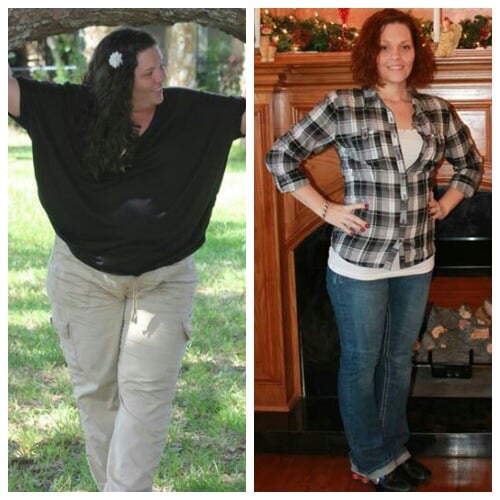
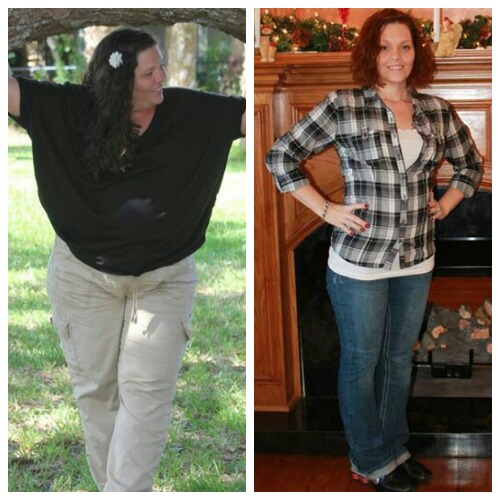
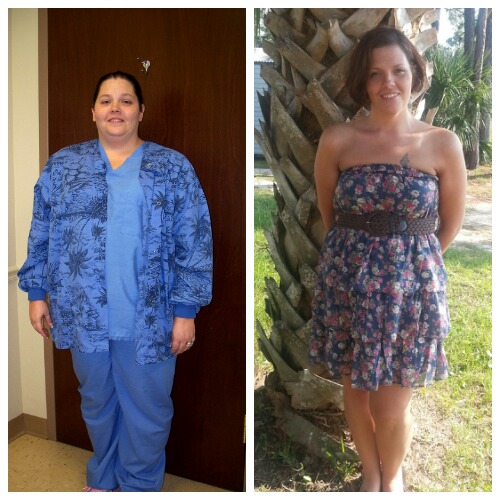
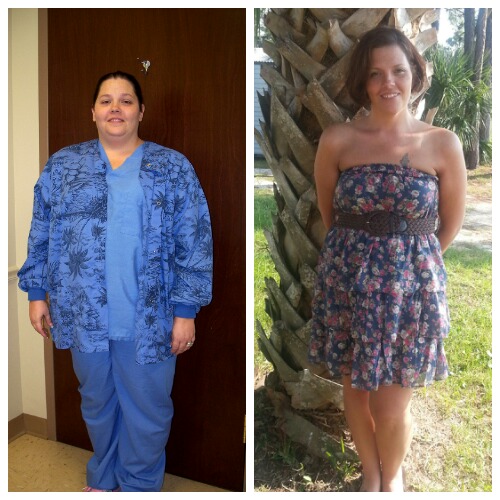
I Want To See Before & After Pics!
-
December 2012 Post Op Group
-
December 2012 Post Op Group
I am having the same trouble! I am happy with the weight I am now. I know a lot want to get smaller than me but for my build I look healthy instead of looking so boney and sick looking. So I'm scared to get any smaller. Also I never liked coffee before surgery and now I find myself dreaming of caramel frappes from mcdonalds! I'm going crazy right now Hw 256 sw 233 dos 12/11/12 cw 142
-
Friday Weigh-In!
Down to 142lbs another 6lbs gone forever! I total of 114lbs washed away! Hw 256 sw 233 dos 12/11/12 cw 142
-
December 2012 Post Op Group
- December 2012 Post Op Group
4 more lbs down. Woo Hoo Hw 256 sw 233 dos 12/11/12 cw 148- December 2012 Post Op Group
Thanks Hw 256 sw 233 dos 12/11/12 cw 148- Friday Weigh-In!
Hw 256 sw 233 dos 12/11/12 cw 148- Gastric Bypass Surgery Progress Pictures
I am 8 months out and I am 104lbs down so far! Hw 256 sw 233 dos 12/11/12 cw 152- Gastric Bypass Surgery Progress Pictures
Thank u Hw 256 sw 233 dos 12/11/12 cw 152- Gastric Bypass Surgery Progress Pictures
Thank you! Hw 256 sw 233 dos 12/11/12 cw 152- December 2012 Post Op Group
- Gastric Bypass Surgery Progress Pictures
- December 2012 Post Op Group
Join BariatricPal free
- Ask your own questions
- Reply and follow topics
- Message other members
- No cost, no spam
Account
Navigation
Search
Configure browser push notifications
Chrome (Android)
- Tap the lock icon next to the address bar.
- Tap Permissions → Notifications.
- Adjust your preference.
Chrome (Desktop)
- Click the padlock icon in the address bar.
- Select Site settings.
- Find Notifications and adjust your preference.
Safari (iOS 16.4+)
- Ensure the site is installed via Add to Home Screen.
- Open Settings App → Notifications.
- Find your app name and adjust your preference.
Safari (macOS)
- Go to Safari → Preferences.
- Click the Websites tab.
- Select Notifications in the sidebar.
- Find this website and adjust your preference.
Edge (Android)
- Tap the lock icon next to the address bar.
- Tap Permissions.
- Find Notifications and adjust your preference.
Edge (Desktop)
- Click the padlock icon in the address bar.
- Click Permissions for this site.
- Find Notifications and adjust your preference.
Firefox (Android)
- Go to Settings → Site permissions.
- Tap Notifications.
- Find this site in the list and adjust your preference.
Firefox (Desktop)
- Open Firefox Settings.
- Search for Notifications.
- Find this site in the list and adjust your preference.