bookchick06
Gastric Sleeve Patients
-
Joined
-
Last visited
-
-
-
-
-
-
-
-
-
-
-
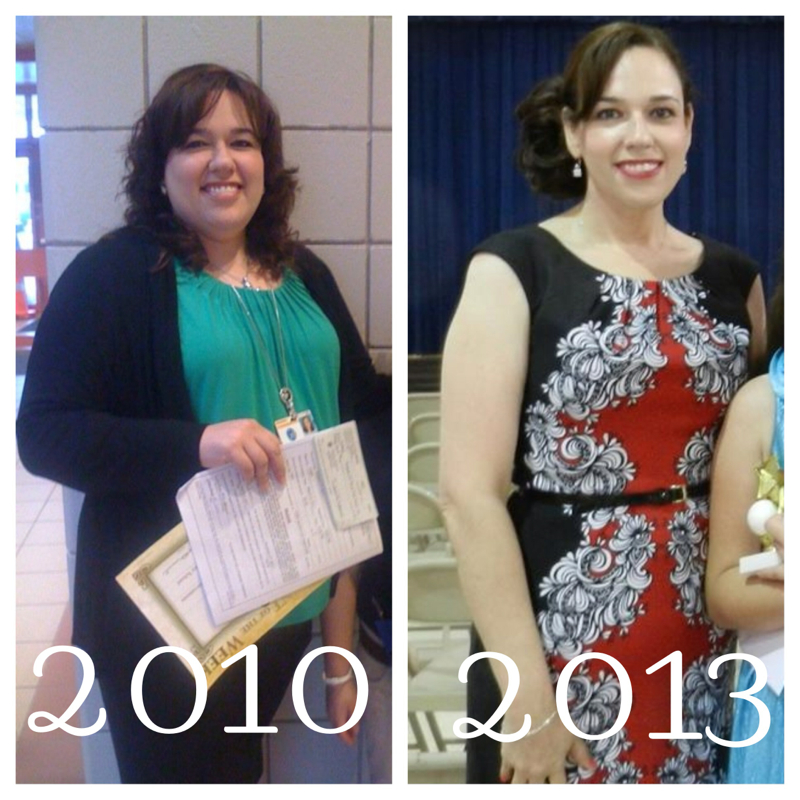
Highest weight:257 Current weight:157 On the left size 18 on the right size 8 On the left: could barely move on the right: able to exercise????

-
Hi. I just started anew thread with my intro. My question is IS THERE A WAY TO RESET YOUR SLEEVE SAY IF YOU HAVE gotten off track???
-
Hi. I was sleeved on July 18,2011. My highest weight was 257 and I was at 240 on day of surgery. I've lost over 110 pounds. My lowest weight was 141 about 7 months ago when I had to have a complete hysterectomy. I was able to maintain my weight of 150 for almost a year--that is until a few weeks ago when I started gaining weight and I am now at 157-158. I am sad. And worried. I have indulged in a few things a little too much but not much more than I had even a few months ago although I do feel like I can eat a bit more than just a few months ago. I am here for support and advice. I exercise although not regularly. I only walk and try running. I am a school librarian and I am off on vacation so 1. I am not as active now compared to when I am working and 2. I am at a closer proximity to food. I think I do have a food addiction and I try to eat healthy because of it. I do not want to blame my husband but he does buy junk sometimes (like Cheetos) that I cannot seem to resist eating. I crave sweets and do admit eating-and drinking--too much lately. I am getting depressed about the whole weight gaining thing. I see my surgeon next week for my two year post op appointment. Thanks for reading my intro.