-
-
Midway
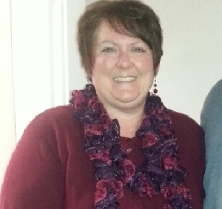
Midway, a weight loss surgery photo album by Amybeth12 on BariatricPal. 1 photo in Member Photo Gallery.
-
Before
Before, a weight loss surgery photo album by Amybeth12 on BariatricPal. 1 photo in Before and After Gastric Sleeve Photos.
-
August 2013 Roll Call
My doctor or me on prilosec for 30 days. Working wonderfully!
-
anyone from Kentucky?
Hi Kristie. I sent a pm for the Facebook page. Just wanted to make sure you got it. Thanks!
-
anyone from Kentucky?
Awesome! I'm not far from there. I'm doing well. Day 4 and I feel so much better! !
-
anyone from Kentucky?
I live in Henry Co. Not to far from Carrollton. Thank you! How are things going for you? Anything at this point you can't tolerate eating?
-
anyone from Kentucky?
- August 2013 Roll Call
My day is Monday the 26! So very ready to get on with it! Praying it goes well.- August 2013 Roll Call
I go in on the 26th as well! Nervous but ready! Good luck to you!- Anyone from Kentucky, around Louisville or northern KY?
25lbs is awesome! I'm sure things will improve everyday. I'm nervous that's for sure, but ready to get it over with!- Anyone from Kentucky, around Louisville or northern KY?
Hi Sherri. I am nervous but excited.my doctor is Dr. John Oldham at Baptist East. How have you done?- Anyone from Kentucky, around Louisville or northern KY?
Looking for KY buddies. Surgery Monday the 26th!- August 2013 Roll Call
Good luck!!- August 2013 Roll Call
Lol its no fun but will be worth it! Good luck to you. Aug. 26th for me. Counting down!
Join BariatricPal free
- Ask your own questions
- Reply and follow topics
- Message other members
- No cost, no spam
Account
Navigation
Search
Configure browser push notifications
Chrome (Android)
- Tap the lock icon next to the address bar.
- Tap Permissions → Notifications.
- Adjust your preference.
Chrome (Desktop)
- Click the padlock icon in the address bar.
- Select Site settings.
- Find Notifications and adjust your preference.
Safari (iOS 16.4+)
- Ensure the site is installed via Add to Home Screen.
- Open Settings App → Notifications.
- Find your app name and adjust your preference.
Safari (macOS)
- Go to Safari → Preferences.
- Click the Websites tab.
- Select Notifications in the sidebar.
- Find this website and adjust your preference.
Edge (Android)
- Tap the lock icon next to the address bar.
- Tap Permissions.
- Find Notifications and adjust your preference.
Edge (Desktop)
- Click the padlock icon in the address bar.
- Click Permissions for this site.
- Find Notifications and adjust your preference.
Firefox (Android)
- Go to Settings → Site permissions.
- Tap Notifications.
- Find this site in the list and adjust your preference.
Firefox (Desktop)
- Open Firefox Settings.
- Search for Notifications.
- Find this site in the list and adjust your preference.