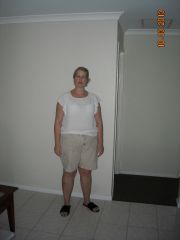
pandashazz
Gastric Sleeve Patients
-
Joined
-
Last visited
Everything posted by pandashazz
-
Hi, I had my surgery in March 2013, so just had my 3 year anniversary. I unfortunately have gained half back of what I had lost (16 kilos) which I am very frustrated and unhappy about. I thought the sleeve would cure all my dieting worries and that I'd never have to watch what I ate ever again...how dumb can I be? It is a uphill struggle EVERY day and I get bad heartburn too because I eat all the time. I used to graze before the surgery, but now its all the time because of the smaller amount I can eat I just chomp, chomp and chomp away. I am trying to come up with strageties, like at work, I need to bring in loads of healthy food so when I graze at least it'll be healthy. But at night is my downfall, infront of the tv...ugh! So i have come up with an idea that after my evening meal I will properly brush and floss my teeth as if going to bed to try and prevent me from eating again that night. Am going to give it a go tonight for the first time. I'll try anything. Its just I can't seem or want to stop eating. I wish I'd had surgery on my brain too aswell as my stomach. I was doing okay intially and then went on a few cruises and never lost the weight gained on them and just kept gaining. I hope this answers your question. Its bloody hard I am very envious of people who seem to be able to control their food cravings and grazing capacity. Good luck to you
-
Hello, I am now in my 6th weeks post op and have been suffering with night time calf cramp. Have been having this for about 2 weeks or so. Was just wondering if anyone else has experienced this and what they have done to resolve it. I take a daily muilti Vitamin, Calcium tablet, Omega 3 fish oil and glucosamine daily. I am trying to eat a varied diet but know I don't eat enough vegetables, do you think this could be the problem? Thanks Sharon
-
Hi everyone, Just thought I'd share my story. I am a nurse and I live in Perth WA. I took out private health insurance in January to have the VSG op next year. By Feb I was getting really down about my weight and really didn't want to wait another 12 months. 12 months when you are big and have your mind set on something seems like an eternity. So I looked into getting my super released early. Because I'm a nurse in the public health system we go through a different regulatory body which really makes you jump through hoops and basically was all down to whether I could afford to have the surgery done or not. Well, I could afford to pay for the surgery myself, but didn't want to use all of my savings on that, hence wanting to release the super. However, the downside to releasing the super was the amount of tax they would take too, so the sum I actually would end up paying was HUGE. So I decided to see if there was anything overseas that would be cheaper as there was no way I was going to pay $22,000 for the surgery. Even waiting the 12 months would end up with me probably being a whole lot bigger and still paying a huge gap fee. So I was glued to the internet basically 24/7 for a whole week and found this forum and the Mexico thread. Well, I contacted alighterme.com and got all the info I needed. Very professional and helpful I decided to go to Mexico for the surgery! I had it all booked within a week. I managed to have time to do the 9 days pre-op optifast diet. I booked a flight through Virgin/Delta into San Diego and got collected from the airport by the company driver and checked into the Marriott hotel for the night. Next day I was picked up from the gorgeous hotel and taken to the hospital. I had bloods done, paid the bill, did the paperwork and was settled into my hospital room. I spoke to the surgeon and the nurse put in my IV access. Then I was taken into the operating room by wheelchair. I hopped up on the table and the anaesthetist did my consent and asked me if I wanted to wake up quickly or slowly, I said slowly. He then asked me about how my flights were over to Mexico and that's all I remeember! I don't remember getting back to my room, just the next morning when the nurses asked me how I was. I was in pain so they came round like clockwork with anti emetics, anti reflux, IV antibiotics and pain relief, on the dot! Everything was so well done, and the universal precautions were better that what I have witnessed in Australian hospitals. Everything was very clean and they do so many very obese patients that I knew I was in safe hands. I was up and walk walk walking around the next day...loads of us doing the IV shuffle! (helps with getting rid of the gas pains) Got to meet some really nice fellow sleevers who I am still keeping in touch with. I had to drink some blue dye that day to check for leaks that would show through my drain. The next day I went down to X-ray to drink the other stuff and check for leaks under X-ray. I didn't find this a problem at all, the drink tasted fine and it was really interesting seeing my new smaller stomach on the x-ray. I left the hospital after 2 nights there back to the Marriott where I stayed for another 5 nights. The bed and pillows were to die for, the best I've EVER slept on! They give you 2 bottles of water, 3 bowls of chicken broth and 2 popsicles a day. The chicken broth was yum! I was supposed to be on clear fluids for a week post op, but stayed on this until I got home so it was actually 9 days. But this didn't bother me at all as I had no appetitie and still don't. I got taken out by the driver with other sleevers into Tijuana on a shopping trip to the tourist area, looked round some shops, saw the donkeys painted as zebras giving rides?! we drove down the red light district (very entertaining!) and also walked round the corner from the hotel and up to the shopping centre to Walmart and the Swarovski shop (SO cheap) and bought myself a souvenir or two! I drank what the hotel allocated me and also bought Isopure drinks which have 40g of clear protein in each serve and are very nice, good varied flavours. Everyone at the hotel and the company I went with treated you like a rockstar, and there were plenty of other sleevers there to talk to if you wanted to. The Dr visited me 3 times in my room to check on me. I took my laptop so I skyped my hubby every day - yes, I went alone and loved it! I had a lovely relaxing time, doing my walk walk walking myself to fitness doing laps around my hotel floor and then in the gym on the treadmill. I knew all the maids by the time I left, and I knew every piece of artwork on that hotel floor! The journey home was fine, good to be back in Australia and my own surroundings. Have progressed to mushies and am loving it. Have blitzed my usual chilli I make and it is amazing.I serve it with a little mushed up avocado and sour cream YUMM! Have also got some recipes from the blog the world according to eggface, and they are great also (the crock post roast beef with chicken soup is amazing). I have also made corned beef hash and that is also a winner. I did have the up and go energize when I first got home but found the texture a bit ickky and I also drank one too fast.....you know the feeling you get when you don't know if you need to be sick or use the toilet? Well that's what it was like. I'd read about this, so knew exactly what it was. I took myself to the loo, but all was fine there, so I just had to lay down half upright on the sofa with my head back, heart pounding, sweat all over me, groaning, not moving a muscle, waiting for this drink to eventually make it's way down!! I haven't bought any more! I still have an optifast shake a day, for fluids and for the protein. I add a bit of cinnamon and take it warm/hot, rather nice...plus I fill my shaker with water so it's not as thick. I am walking every day for about 30 mins and intend to start light weights on my arms soon so as to avoid the dreaded bingo/bat wings. I was sleeved on 20th March, it cost me $1600 in flights and $4650 for the op and $150 for the extra nights I had at the Marriott ( I spent some money on gifts when out shopping too). I totally enjoyed the experience and would highly recommend it. I should have stayed in San Diego after too as I would have loved to have gone to the zoo to see the pandas! But I did go shopping there to H & M and got some nice things that were so cheap compared to Oz. I go back to work tomorrow and have not told anyone about what I have done. The good thing is that I checked with my private health fund (Bupa) before I left as to what would happen if I had any problems when I got back to Oz and they said that because there is nothing left inside me, like there would be with the crapband..opps, sorry lapband! they said it would be classed as a new condition and I would be covered under my fund! So I got that double checked and got the reference number for the conversation! If I had had the band put in and had problems after I wouldn't be covered as the band was there for a pre-existing condition. I also asked the Dr's that I work with what would happen if I turned up in ED with a problem? They said they have to treat you the same as anyone else, it's their duty of care, they can't legally turn you away, they have to treat you, so double win! My incisions are healing nicely, they stitch and glue them, my drain site is healing slowly, but that's to be expected. The surgeon used a 32 bougie and sutured as well as stapled. My only regret and I say this is the only regret I have is that I wasn't informed that there was a 'spider' sleeve gastrectomy available where they only have one incision just by your belly button, as I would definately have paid the $1,000 more to have only one incision. Actually, there is one other regret.....i wish I had done this years ago! I was on the smaller side with a BMI of 34. There were other ladies there with a lower BMI too,( I probably wouldn't even qualify for surgery in Oz) but they do the lower and the very high over there. All the ladies I met said that we knew this was the way foward, no more yo-yo dieting, gradually gaining more and more and existing rather than living our lives. I turn 40 in September and can truthfully say I can't bloody wait....LIFE WILL DEFINATELY BEGIN FOR ME AT 40!! I have been fat ALL my life, my mother put me on weight watchers when I was 10. Diet after diet after diet, I can now say goodbye to all that. I am really enjoying my journey and can't wait to finally wear something that isn't an XXL or elasticated. Sorry this has been so long, hope it helps someone. bye, Sharon
-
I had SERIOUS doms after I started an intense exercise routine a while ago ( another diet and exercise programme) and they had a forum and for quick relief get some magnesium supplements (1 or 2 a day) and the doms go away as if by magic! Also a bath with Epsom salts in it is good too, but the magnesium supps are the key.
-
Hello Libbyb, No, I didn't have to do anything special. I had 5 nights post op in the hotel before I travelled home, so thats 7 in all, which I think was wise. I did a fair amount of walking during that time and did not have any gas pains at all, just rested and healed. For the flight I just ensured that I had compression stockings on (TEDS) and made sure that I got up frequently on the flight to stretch my legs and did a few leg exercises (didn't care how silly I looked). I was particurlarly worried as my clotting factor from my blood tests pre op showed that my blood clots quicker than normal too, so I'd be especially prone to DVT's as well as being on the pill which is a risk too, so it was always in the front of my mind. Am now home and so glad to be in my own surroundings and getting back to normal. I did a clear Fluid diet whilst I was away (so 9 days in total) which I think has helped with my graduation to full fluids since I have been home. I am going onto pureed food on Wed, which will be a week from when I returned which I am looking foward to. There is an excellent website that is very informative called www.theworldaccordingtoeggface.com which is ful of excellent ideas for food post op and advise from a lady who has had a revision too. It's very very good! 12 hours to London, direct flight will be a snip! I had 30mins San Diego to LAX, then a 4 hour wait, LAX to Brisbane was 14 hours 30mins with a 2 hour wait and then another 5 hours 20mins from Brisbane to Perth...phew.....soooo glad it's over. I just made sure I drank plenty of Water and diluted apple juice, I also took chicken oxo cubes with me and asked the stewards for cups of hot water to crumble 3/4 of a cube into. Make sure you have warm layerable clothes as all my flights were FREEZING and I have really felt the cold after the op too and lipbalm definately. I wore on the way home compression stockings, socks, full length leggins, trousers, 2 tee shirts a cardigan and a thick scarf and I still need 4 blankets to keep me warm! thats why its nice to have the hot oxo to warm you up a bit! Let me know if you have any more questions
-
the hardest part was the flight over. Last thing i remember was the anaesthetist asking me how longmy flight took, and he must have been sneekily adding something to my drip as thats all i remember apart from waking up in my bed later on! IV was a pain but i knew that would be as i have no veins so 2nd attempt and it was in but it had tissued so had to have another one put in, no wonder i felt a little light headed the one and only time up until then that ihad been up for a walk, no fluids in me...all in my hand instead! Got up for a potter around my room, opened a get well soon card from my best friend which is nice and went for another walk and got offered a blue drink...hoping it was blueberry juice...no luck...its the blue dye you have to have to test for leaks though your drain. No pain at all, the only discomfort I get on occasion is like an indigestion pain which goes away with a deep breath, so all in all its good, except i now have a blue tounge!
-
pandashazz, a weight loss surgery photo album by pandashazz on BariatricPal. 1 photo in Before and After Gastric Sleeve Photos.
-
Good luck in your continuing weight loss journey. I have been on my pre-op optifast since last Sunday and tomorrow I start clear fluids for 3 days. I am being sleeved by Dr Lopez this coming Wednesday and am looking foward to it but am soooo scared! I fly out to Mexico on Monday evening so it's all go go go! Be glad when I'm on the other side! I am going to Mexico as they have really good experience with large patients and a large number of patients too, plus its really cheap $4,600...and I get to go to the US and Mexico too! Wishing you all the best,I don't think there are as too many Aussies on this site so it's nice to get someone in the same sort of time zone!
-
OMG! At last someone who is the same height as me! Well done with your success and continuing success, you truely look wonderful. I have my surgery on Wednesday in Mexico with Dr Lopez and I'm flying in from Australia, so your post has really confirmed it in my mind that travelling all that way and having the surgery is gonna be right for me. Looking foward to joining you and having a similar success. All the best Sharon
-
Good luck for the 19th and I'll more than likely see you there then! I'm getting nervous now
-
thanks for much for that post bigdaddyjoe, I am going to be sleeved in Tijuana on the 20th travelling from Australia. I have gained from your post that walking is good for the gas pains which a lot of other folk have said too. Good luck with the rest of your recovery, am thinking of you!
-
Please add me too! Facebook name is Sharon Mckenzie (Sharon Payne) of Secret Harbour, Western Australia. Thanks
-
Thanks, I will ask him about the return journey. I have some of my own TED stockings for the flight and also to use in the hospital if they don't have any. Am also taking my own sterile gloves as I saw a clip on youtube of the Dr taking the drain out in the hotel room with bare hands. Daon't know whether he had just washed them and used alcohol gel on them as it didn't show that bit, but I thought I'd take them just incase!
-
20th for me too! Only booked the op and flights on 9th (yesterday) so had that day as my last day of eat all you want food and started the pre-op diet today. As mine is gonna be a short pre-op I am having optifast only, no food at all. I figured it'll be easier to go onto the clear fluids after only having the shakes and no food. Have done optifast before for 10 weeks and your hungar totally goes away after day 4, but getting to day 4 is bloody hard! Thats all they do over here anyway, the optifast, no food at all, it shrinks your liver and internal fat well. Having my surgery in Mi Doctor Hospital by Dr Lopez, staying at the Marriott until Wed 27th. Hope to meet some of you there on our journey, good luck!
-
I am in for VSG at Mi Doctor Hospital in Tijuana with Dr Lopez on 20th March. I am 39 yrs old, 5ft 9inches tall and weigh 234lbs. Have been big ALL my life. Am leaving to fly to Mexico on 18th from Perth, Western Australia. I will be travelling alone as hubby can't get time off from work and it would cost more if he came too. I have no children, just 2 very amusing cats. I am a Registered Nurse working in Theatres/Endoscopy so seeing the theatre in Mexcio is probably gonna really freak me out. Am satisfied with the Dr's experience though and all the posts on sites like these really help a lot. Anyone else there the same time as me, could do with a sleeve buddy! Am staying in the MArriott until Wed 27th, then flying home. Sharon
-
Hello! Was just wondering whether there is anyone else out there having their sleeve on the same day as me? I am booked in at Mi Doctor Hospital under Dr Lopez for the 20th March. I know it's going to be difficult for me and I'm a Registered Nurse that works in Endoscopy/theatre, but I am travelling from Western Australia alone. Was hoping I could befriend someone whilst there! Any advice and support would be greatly appreciated. I have been reading many many posts on this and other sites so think I know what to expect and what to pack. Unfortunately I will have to endure a very long flight with 2 plane changes along the way, so just keeping my fingers, toes, legs and anything else I can cross crossed and hope that I am comfortable enough to travel back on the 27th, landing back home 2 days later on the 29th. I then have a week at home to recover. I am thinking I would normally have 2 days to recover from the jet lag alone but I have the option to take more time off if I need it. I have only told my 2 best friends and they think I am mad, but my husband is very supportive but couldn't get the time off from work. Please someone tell me I'm not crazy! I have always been the fat kid and now fat adult, been on and off too many diets to remember loosing some then regaining it all back plus more for over 30 yrs, I now finally say enough's enough. Thanks in advance
-
I hvae just got approval from alighterme and was a bit worried as I would be travelling from Australia, but after reading your experience you have really put my mind at rest. THANK YOU! XXXX
-
Sorry, its 35 not 36... but I have chronic back and hip pain due to arthritis. Am sure weight loss would ease my pain. Sorry to be late in the reply...was engrossed in My Kitchen Rules!
-
My BMI is 36
-
I would prefer to have it done here.....but I have only just taken out health insurance and I have to wait another 12 months until I can get it done, and then theres the gap to pay too. I know I am impatient, but once you have made your mind up that's all you can think about and I'm so fed up about how I feel and don't want to feel like this any longer than what I have to. I am a registered nurse and actually work in Endoscopy/theatres so I see all the downsides to the operations so know what can go wrong on operations that have been performed both here and overseas. It's the skill of the surgeon and not the country it seems. There are plenty of surgeons over here I wouldn't go to! I asked a doctor yesterday what would happen if I got surgery overseas and what I should do if I had a problem once home. He just said you turn up in ED just like everyone else. I have looked at paying for it myself over here, but the cost is $17,000- $20,000 depending on what hospital you go to and thats way too much. It seems like the gap you pay in Australia is the full cost less flights to have it done in Mexico and Thailand is double the gap, but half the cost if you are self funded. I would have it done in Thailand now and pay the extra.
-
Thanks everyone very much for the feedback. The price in Mexico was $4500 and flights are about $1600 return. That includes 2 nights in hospital and 2 nights in a hotel, airport transfers and all the leak tests and pre-op tests. There seems to be many Americans going over the border for that surgery so they do have a lot of experience, however, it is Mexico and doesn't evoke images of surgical cleanliness. I was also looking at Thailand as I know they are very well known for excellent cosmetic surgery but haven't heard too much about bariatrics, and their hospitals are amazing. Stevie07, can you let me know the contact details of where you are going and any internet links/info please. And if anyone else has any info for Thailand that would be greatly appreciated, the more info for an informed choice the better. Sorry but I can't figure out how to reply to individual messages!
-
Hello everyone, I have been reading the posts for a few days now but have not found anyone who has travelled long haul for their surgery. Has anyone made the journey from Australia to Mexico for the surgery? Or a similar distance, it's about 30 hours all up. I live in Perth and the flights consist of about 3/4 plane changes depending on the airline. Just wanted to know whether one would feel up to such a long journey after major surgery. Any advice on surgeons in Mexico and possible hospitals to avoid or recommed would be really appreciated. IT's such a big decision to make from so far away! Thanks Sharon