Queen In Me
Gastric Sleeve Patients
-
Joined
-
Last visited
-
-
-
-
-
-
Queen In Me, a weight loss surgery photo album by Queen In Me on BariatricPal. 2 photos in Before and After Gastric Sleeve Photos.
-
Month of March ending weight 201
-
-
-
-
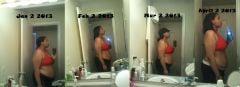
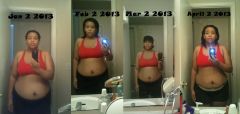
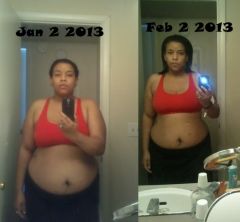
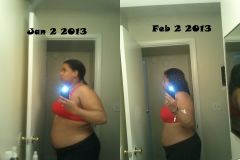
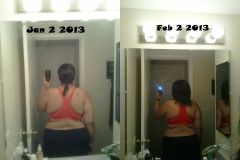
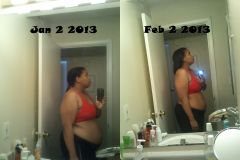
My progress so far!!
-
-
-
Starting surgery weight was 241, post op month 1 222.2
-
I had my gallbladder removed when I was sleeved on 1/3/13. I am in the soft food stage and i've had a few horrible moments with food that I believe has to do with my gallbladder being removed. The first one was baked ricotta and the second one was with eggs and lean sausage. Those are the closets things i've had that is consider to be greasey and about 10 minutes after I was done eating I got sick to the point where I started throwing up. So right now, I avoid all grease stuff.
-
-
The MOM didn't work by itself for me but when I took that and prune juice for two days straight it worked. I only did about 4 oz of prune juice and 1 tablespoon twice a day and finally I was able to make something happen.
-
When I started the WLS program I was 267, at surgery on 1/3/13 I was 241, today I am 225. I weigh myself tomorrow, so i'm hoping to be down a few more pounds but since surgery I've lost 16 pounds. All together i've lost 42 pounds.
-
I tried eating and drinking at the sametime and can't it gives me gas pressure and its painful as heck.
-
You can always google to see reviews and education history of that doctor, see what hospital the doctor is with and go to the hospital website to see if you can find some information that way.
-
-
You won't bust a staple or anything...you will just feel like you did. You will do well with surgery...its hard at first but slowly it gets better!
-
Not to scare you but I had dry heaving when I work up from surgery (it can be one of the side effects of the anesthesia) and I threw up once after that ( whatever I ate didn't agree with me). But the Zofran and Phenergan can help with nausea.
-
And you will have it too! lol
-
That's crazy! Because metlife approved me for 6 weeks but then again, I had my gallbladder removed, hiatal hernia repaired, and a liver biopsy at the sametime. I may also have to take some additional time because I was hospitalized last week with dehydration...talk to your doctor and see if they can give you more time.
-
Well I wish you the best! I had surgery the 3rd of this month and I was released 4 days later. Then I was hospitalized last week for dehydration, i'm home now and doing better and even thought I had some complications I don't regret the surgery. So just keep motivated because it is worth it. I can watch my video blogs too just to hear some of my story.
-
Looking GOOD! God is Good!!!